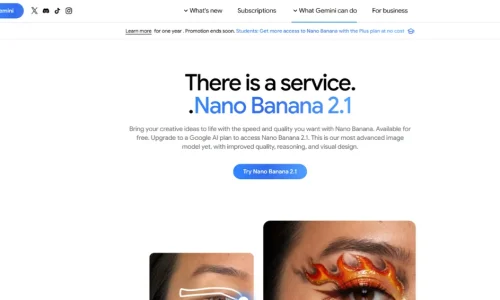
The best free AI image generator for most people in 2026 is Google Gemini (Nano Banana), because it’s free with a Google account, handles text inside images well, and lets you edit images by simply chatting. That said, “best” depends on the job. ChatGPT is great for detailed prompts, Ideogram for logos and typography, and Adobe Firefly for commercially safe business images. If you need unlimited and private, run Stable Diffusion or Flux on your own computer.
One warning before you start: free limits change all the time, sometimes overnight. So this guide doesn’t just rank tools. It shows you how to choose, what “free” really costs, and how to stack several free tools so you never get stuck.
What Is an AI Image Generator (and What Does “Free” Mean)?
An AI image generator turns a written description, called a prompt, into a brand-new image. Many tools can also edit a photo you upload, for example, “change the background to a beach” or “add a red jacket.”
“Free” covers very different things:
- Daily allowance: a few images that reset every day (Gemini, ChatGPT, Ideogram).
- Monthly credits: a fixed pot that resets once a month (Canva).
- Fast vs slow queue: some quick generations, then slower ones (Microsoft Copilot).
- Truly unlimited: open models running on your own hardware (Stable Diffusion, Flux).
Big companies don’t publish exact numbers for every plan. OpenAI lists ChatGPT’s free image use simply as “limited,” and Google labels some free Gemini limits as “basic access,” noting they may change frequently. Treat any number you read online, including ours, as a snapshot.
The Best Free AI Image Generators at a Glance
| Tool | Best for | Free allowance (snapshot, late 2026) | Main catch |
| Google Gemini (Nano Banana) | Best overall; edits by chat | Daily limit (Google has listed up to 3 Nano Banana Pro images a day) | Visible and invisible SynthID watermarks |
| ChatGPT | Long, detailed prompts | “Limited,” no official number | Slows down when demand is high |
| Microsoft Copilot | Quick everyday images | 15 fast boosts, then a slower queue | Few settings |
| Ideogram | Logos, posters, text in images | About 10 slow credits a day | Free images are public |
| Adobe Firefly | Business-safe visuals | Limited daily generations | Small allowance |
| Leonardo AI | Game and fantasy art | 150 tokens a day (≈10–15 images) | No commercial use on free; images public |
| Canva | Images inside designs | About 20 AI credits a month | Quality trials, specialist tools |
| Krea | Creative experiments, editing | 100 compute units a day | Commercial licence needs a paid plan |
| Stable Diffusion / Flux (local) | Unlimited and private | Unlimited on your own PC | Needs a decent GPU and setup |
Some figures come from Krea’s October 2026 roundup and should be double-checked on each tool’s pricing page. Krea is also a competitor in this list.
The 9 Best Free AI Image Generators, Reviewed
1. Google Gemini (Nano Banana): best overall
Gemini runs Google’s Nano Banana image models inside a normal chat. Its biggest strength is conversational editing: upload a photo, then ask for changes step by step without starting over. It also handles text inside images well.
Watch out for: Google has cut free limits during demand spikes before, and images carry a visible watermark plus Google’s invisible SynthID marker. If you use Gemini for other work, see our Gemini 2.5 guide.
2. ChatGPT: best for detailed prompts
ChatGPT’s built-in image model is excellent at following long, specific instructions. That makes it handy for infographics, multi-object scenes, and quick revisions through conversation.
Watch out for: OpenAI doesn’t publish a free image count, and generation can slow down under load. OpenAI’s terms allow commercial use of what you create.
3. Microsoft Copilot: best for quick, casual images
Copilot (formerly Bing Image Creator and Designer) uses OpenAI models and gives you a set of fast “boosts,” then a slower queue. It’s simple and needs no design skills.
Watch out for: there are few style controls, and Microsoft positions it mainly for personal use.
4. Ideogram: best for text, logos and posters
If your image needs readable words, such as a café poster, event flyer, or YouTube thumbnail title, Ideogram is one of the strongest free choices.
Watch out for: free images are public by default, so don’t use it for confidential brand work.
5. Adobe Firefly: best for business and commercial use
Adobe trains its Firefly models on Adobe Stock images, openly licensed content, and public-domain material, and describes the outputs as safe for commercial use. The free plan includes a small number of daily generations.
Best for: small businesses, agencies and marketers who worry about copyright risk.
6. Leonardo AI: best for game and fantasy art
Leonardo shines at stylised characters, concept art, and game assets, with lots of fine-tuned styles.
Watch out for: on the free plan, images are public, Leonardo holds the IP, and commercial use isn’t permitted. Upgrade before using its images for clients.
7. Canva: best when you need a finished design
Canva’s AI image tools sit inside its design editor, so you can generate an image and turn it into an Instagram post, banner o, or slide in one place.
Watch out for: the free AI allowance is small and monthly, and image quality trails specialist generators.
8. Krea: best for creative experimenting
Krea gives a daily allowance with no credit card, plus editing and basic upscaling. It’s a good playground for trying styles.
Watch out for: a commercial licence requires a paid plan.
9. Stable Diffusion and Flux (run locally): best for unlimited and private
Open models like Stable Diffusion and Flux can run free and without limits on your own computer, with nothing uploaded to anyone’s server. You can also try Flux through free online demos on Hugging Face.
Watch out for: you need a capable graphics card and some setup time, and each model has its own licence terms.
The Hidden Costs of “Free”: A 3-Point Checklist
Before you use a free image anywhere important, check these three things:
- Rights: can you use it commercially? Leonardo’s free plan says no. Adobe Firefly and ChatGPT are among the clearer “yes” options, but always read the current terms.
- Privacy: are free images public? On Ideogram and Leonardo’s free plans, they are. Never upload client photos or confidential products to a public gallery.
- Watermarks and labels: Gemini adds a visible and an invisible watermark, and Adobe attaches Content Credentials. This is good for transparency, but plan for it if you need clean images.
Which Free AI Image Generator Should You Use?
| If you need… | Use | Why |
| A quick, good-looking image | Gemini or ChatGPT | Best quality-to-effort ratio |
| Text, a logo or a poster | Ideogram | Reliable lettering |
| Images for a business or client | Adobe Firefly | Built for commercial safety |
| A social post or flyer, fully designed | Canva | Image and layout in one tool |
| Game or fantasy characters | Leonardo AI | Strong stylised models (but personal use on free) |
| Many images, privately | Stable Diffusion or Flux locally | No daily caps |
The “Free Stack” Strategy: Never Hit a Wall
Because every tool caps its free tier, the smartest approach is to combine two or three tools, each for what it does best. Here’s an example workflow for a small business owner making a weekly social post:
- Draft ideas in ChatGPT or Gemini: generate two or three concept images and pick the best direction.
- Add text in Ideogram: recreate the winning idea with the headline lettered correctly (keeping in mind that free images are public).
- Finish in Canva: drop the image into a template, add your logo, and resize it for each platform.
Spreading the work across tools this way means you rarely hit a single tool’s daily limit.
A Simple Prompt Formula That Works Everywhere
Most bad AI images come from vague prompts. Try this structure:
Subject + action + setting + style + lighting + format
Example: “A young chef plating biryani in a busy Lahore street kitchen, documentary photo style, warm evening light, close-up, square format for Instagram.”
Then refine one thing at a time, such as “make the lighting softer” or “remove the person on the left,” instead of rewriting everything.
Conclusion
No single free AI image generator is best for every task, but one is best for yours. Start with Google Gemini or ChatGPT for everyday images, switch to Ideogram when you need text, and use Adobe Firefly when the image is for business. Check the three hidden costs (rights, privacy, and watermarks) before publishing, and stack two or three free tools so a daily limit never stops you. Free tiers will keep changing, but this approach will keep working.
Want to explore more AI tools? Browse the Rentaai AI tools library, see how Lovable AI helps you build websites to show off your images, or learn what agentic AI can automate next.
Frequently Asked Questions
What is the best free AI image generator right now?
For most people, Google Gemini (Nano Banana) is the best free option overall. ChatGPT is a close second for detailed prompts, and Ideogram is best for text in images.
Is there a completely free AI image generator with no limits?
Online tools all have limits. Stable Diffusion and Flux are free and unlimited when you run them on your own computer.
Can I use free AI images for commercial purposes?
It depends on the tool. Adobe Firefly is designed for commercial use, and OpenAI’s terms allow commercial use of ChatGPT images. Leonardo’s free plan does not allow it. Always check the current terms.
Which free AI image generator is best for logos and text?
Ideogram is the strongest free choice for readable text, logos, and posters.
Do free AI image generators add watermarks?
Some do. Gemini adds a visible watermark and an invisible SynthID marker, and Adobe attaches Content Credentials. Others may not, but terms vary.