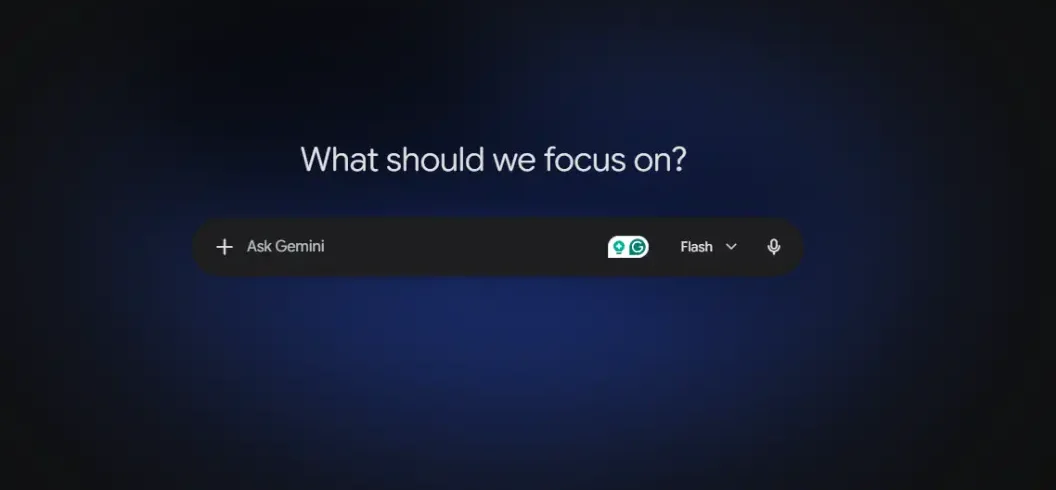

Gemini 2.5 is Google’s family of AI models designed for advanced reasoning, coding, multimodal understanding, image tasks, and long-context processing. The main models include Gemini 2.5 Pro, Gemini 2.5 Flash, and Gemini 2.5 Flash-Lite, with each targeting different needs.
Gemini 2.5 Pro is designed for complex reasoning, coding, research, and large documents. Flash focuses on speed and price-performance, while Flash-Lite is optimized for high-volume and cost-sensitive workloads. Google also provides free-tier API access for supported Gemini 2.5 models, although usage limits apply.
For everyday users, Gemini can answer questions, summarize information, help with writing, analyze images, and generate or edit images where the feature is available. Some advanced features require a paid Google AI plan. Gemini can be a strong free alternative to ChatGPT, but neither platform is best for every task.
What Is Gemini 2.5?
Gemini 2.5 is Google’s thinking AI model family built for reasoning, coding, multimodal tasks, and large-context processing.
Unlike a basic chatbot, Gemini 2.5 is designed to spend additional computation on difficult problems. This can improve performance on programming, mathematics, research, planning, and other tasks requiring multiple reasoning steps.
The family includes several models rather than one universal system. Pro focuses on advanced tasks, Flash provides a balance between capability and speed, and Flash-Lite emphasizes efficiency.
What Are the Gemini 2.5 Models?
| Model | Best For | Main Strength |
| Gemini 2.5 Pro | Coding and complex reasoning | Advanced capability |
| Gemini 2.5 Flash | Everyday and production tasks | Speed and balance |
| Gemini 2.5 Flash-Lite | High-volume workloads | Efficiency |
Choosing the right model depends on the task. A developer analyzing a large codebase may prefer Pro, while a business processing thousands of simple requests may benefit more from Flash-Lite.
Gemini 2.5 Pro: What Can It Do?
Gemini 2.5 Pro is the advanced model in the family. It is designed for complex reasoning, programming, research, mathematics, document analysis, and other demanding tasks.
Google’s API documentation lists a context window of up to 1,048,576 input tokens, allowing developers to work with very large amounts of information in a single request.
Best Uses for Gemini 2.5 Pro
Gemini 2.5 Pro can be useful for:
- Advanced coding
- Research
- Large documents
- Data analysis
- Complex reasoning
- Mathematics
- Web development
- Multimodal analysis
- Large codebases
Developers can also access Gemini 2.5 Pro through Google’s AI development tools and API.
Gemini 2.5 Flash: Is It Better for Everyday Tasks?
Gemini 2.5 Flash is designed to provide a strong balance between performance, speed, and cost.
It can handle common AI tasks such as summarization, content generation, document analysis, classification, coding assistance, and multimodal processing.
Flash is often a better choice than Pro when a task does not require maximum reasoning capability. It can also be more suitable for applications that need many AI requests.
Gemini 2.5 Flash-Lite: Who Should Use It?
Gemini 2.5 Flash-Lite is designed for speed, efficiency, and high-volume workloads.
It can be useful for classification, translation, summarization, information extraction, routing, and repetitive AI operations.
Businesses processing large numbers of relatively simple requests may prefer Flash-Lite because they do not need to use a more expensive model for every task.
What Makes Gemini 2.5 Different?
1. Thinking and Reasoning
The biggest feature of Gemini is its reasoning capability.
Thinking models can use additional computation to work through difficult problems before producing an answer. This makes them useful for programming, mathematics, research, and complex instructions.
However, reasoning does not guarantee that every answer is correct. Important information should still be verified.
2. One-Million-Token Context
Gemini 2.5 Pro and Flash support very large context windows, with Google’s documentation listing up to 1,048,576 input tokens for supported models.
This can help when working with:
- Long reports
- Large codebases
- Research material
- Transcripts
- Multiple documents
- Large datasets
3. Multimodal Understanding
Gemini can work with more than text. Depending on the model and product, users can work with images, audio, video, and other supported content.
This makes it useful for explaining images, analyzing documents, summarizing media, and combining visual information with written instructions.
4. Coding
Gemini 2.5 Pro is particularly useful for developers.
It can generate code, explain existing code, find potential problems, refactor projects, and help build websites and applications.
AI-generated code should still be tested and reviewed before being used in production.
Gemini 2.5 Pricing
Gemini pricing depends on the model and how you access it.
Google’s current API pricing provides free-tier access for supported Gemini models, with usage limits. Paid plans are available when developers need higher limits and production-scale usage.
This means developers can experiment with Gemini 2.5 Pro without necessarily paying immediately. However, free access should not be confused with unlimited API usage.
Consumer Gemini access is separate from API pricing. Some features are available for free, while advanced capabilities can require a subscription.
Gemini 2.5 Pro vs Gemini 2.5 Flash
| Feature | Gemini 2.5 Pro | Gemini 2.5 Flash |
| Reasoning | Excellent | Strong |
| Coding | Excellent | Strong |
| Speed | Moderate | Faster |
| Cost efficiency | Good | Excellent |
| Long context | Yes | Yes |
| Multimodal | Yes | Yes |
| Large workloads | Good | Excellent |
Choose Pro for difficult reasoning and advanced coding. Choose Flash when you need a faster and more cost-efficient model.
Gemini 2.5 vs ChatGPT
Gemini and ChatGPT are both powerful AI assistants, but neither is universally better.
Gemini can be especially attractive to people already using Google’s ecosystem. ChatGPT also provides strong writing, coding, image, and general-purpose AI capabilities.
For free users, the better option depends on the task, available limits, tools, and personal workflow. Instead of asking which AI is always better, test both on the specific tasks you perform most often.
Gemini 2.5 and Google AI Search
Gemini technology is closely connected to Google’s broader AI ecosystem and AI-powered Search experiences.
This is also important for content creators. Search engines increasingly provide direct AI-generated answers, so articles should be structured around clear answers rather than keyword repetition.
A strong article should:
- Answer the main query quickly
- Use clear headings
- Explain related concepts
- Include useful comparisons
- Use trustworthy sources
- Provide accurate facts
- Demonstrate first-hand experience when possible
This structure can support traditional SEO as well as AEO and generative search visibility.
How to Optimize Content for Gemini 2.5 and AI Overviews
Do not simply repeat Gemini throughout the article.
Instead, build topical relevance around related concepts such as:
- Gemini 2.5 Pro
- Gemini 2.5 Flash
- Gemini API
- Gemini pricing
- AI reasoning
- Gemini image generation
- Gemini image editing
- Gemini vs ChatGPT
- Gemini coding
- Gemini context window
Use a Direct Answer at the Beginning
Start with a concise definition and explain why the topic matters.
This helps readers understand the page immediately and gives search systems a clear answer to extract.
Top 10 Competitor Content Patterns You Should Beat
Strong competing pages generally focus on model announcements, benchmarks, pricing, comparisons, testing, or technical documentation.
| Content Type | Strong Point | Your Opportunity |
| Official information | Explain it simply | |
| TechRadar | Testing | Add evergreen value |
| Tom’s Guide | Comparisons | Cover more use cases |
| Google Developers | Technical details | Make them beginner-friendly |
| AI publishers | Model comparisons | Provide clearer recommendations |
Your advantage should be combining features, models, pricing, use cases, image capabilities, API information, comparisons, and FAQs into one useful resource.
What Are the Main Limitations of Gemini 2.5?
Gemini 2.5 can still make mistakes, misunderstand instructions, produce incorrect information, or generate flawed code.
Free access also comes with limits. API quotas, rate limits, features, and model availability can change.
Image-generation and editing capabilities may also vary depending on the Gemini product, account, region, and current Google policies.
For important work, always verify AI-generated information.
Is Gemini 2.5 Good for Coding?
Yes. Gemini 2.5 Pro is particularly useful for coding.
It can help generate, explain, debug, refactor, and review code. Its large context window is also useful for working with extensive projects.
However, developers should test AI-generated code and perform normal security and quality checks before deployment.
Is Gemini 2.5 Good for Research?
Yes. Gemini 2.5 can help with research, especially when large amounts of information need to be summarized or compared.
It can organize notes, analyze documents, explain technical subjects, and identify important information.
For academic or professional research, verify important claims against reliable sources.
Is Gemini 2.5 Free?
Some Gemini 2.5 access is available through free tiers, including supported API usage. However, free access has limits and does not mean unlimited use.
Some advanced consumer features may also require a paid Google AI plan.
Conclusion
Gemini 2.5 is a powerful Google AI family built around reasoning, coding, multimodal understanding, and long-context processing. Pro is best for complex tasks, Flash provides a strong balance of speed and capability, and Flash-Lite focuses on efficient high-volume processing.
For developers, the available free API tiers make it possible to experiment before paying for larger workloads. For everyday users, Gemini can assist with writing, research, image generation, image editing, and general questions where supported.

Leave A Comment