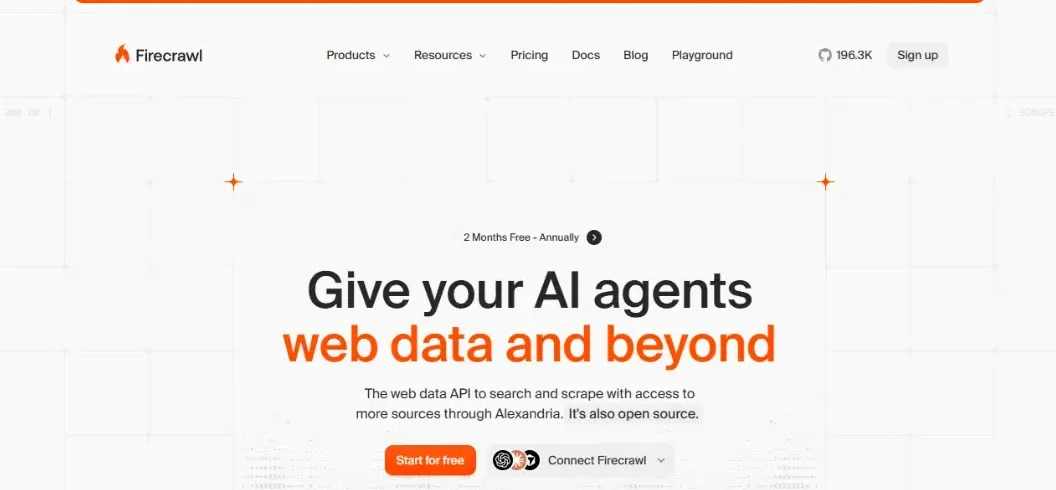

Visit Tool
Firecrawl AI is a web scraping and crawling platform designed to turn website content into clean, structured data for artificial intelligence applications. It helps developers extract information from websites, build AI-powered research tools, create chatbots, and automate data collection without developing complex scraping infrastructure.
Unlike traditional scraping tools that often return messy HTML, Firecrawl can deliver Markdown, JSON, and other AI-friendly formats. Its combination of website crawling, search, and structured extraction makes it particularly useful for AI agents and retrieval-augmented generation (RAG) systems.
But is Firecrawl AI worth using in 2026? This guide explains its features, pricing, practical applications, limitations, and how to get started.
What Is Firecrawl AI?
Firecrawl AI is an open-source web data platform offering a managed API for searching, scraping, and crawling websites.
Its primary purpose is to simplify the process of collecting useful online information for software applications and large language models (LLMs).
Normally, developers must build scraping scripts, handle JavaScript-heavy websites, remove irrelevant elements, and organize extracted information.
Firecrawl combines several of these operations through a unified API.
For example, imagine building a chatbot that answers questions about a software product. Instead of manually copying hundreds of documentation pages, you can use Firecrawl to collect their content.
That information can then be indexed in a searchable database and supplied to the chatbot when relevant questions arise.
Firecrawl is not itself a replacement for an AI language model. Instead, it acts as a data retrieval layer that helps applications obtain information from the web.
How Does Firecrawl AI Work?
Firecrawl follows a relatively straightforward process: retrieve content, process it, and return it in a useful format.
Step 1: Provide a URL or Search Query
Developers submit a website address or search query using Firecrawl’s API.
They can request a specific page, discover URLs across a domain, or initiate a broader website crawl.
Step 2: Retrieve Website Content
Firecrawl fetches the relevant page content and can handle many websites that render information using JavaScript.
This reduces the need to configure browser automation for routine extraction tasks.
Step 3: Clean and Structure the Data
The platform processes retrieved information and returns formats such as Markdown, HTML, or structured JSON.
For AI applications, clean Markdown is particularly useful because it preserves readable content and heading relationships.
Step 4: Send Information to an Application
The extracted information can be stored in a database, indexed for semantic search, summarized, or passed to an AI model.
The result is a more efficient workflow for applications that depend on external information.
Key Features of Firecrawl AI
Firecrawl provides several capabilities that extend beyond traditional single-page scraping.
1. AI-Ready Web Scraping
Firecrawl’s Scrape endpoint extracts information from individual webpages.
Instead of manually processing raw HTML, developers can request cleaner text that is easier for AI systems to interpret.
This feature is useful for collecting articles, product information, public documentation, and knowledge-base content.
2. Automated Website Crawling
The Crawl endpoint processes multiple pages associated with a website.
For example, a developer building a documentation assistant can crawl a product’s public help center rather than submitting every URL individually.
Developers can configure limits and control which pages should be included.
Actual crawl coverage depends on website structure, accessibility, and configuration.
3. Structured Data Extraction
Firecrawl supports structured extraction that can organize information into JSON fields.
A product research application might request product names, descriptions, and displayed prices.
This allows developers to work with organized records instead of manually identifying individual HTML elements.
However, extracted information should be checked before use in important business decisions.
4. Website Mapping
The Map feature helps identify URLs belonging to a website.
It can be useful when creating a content inventory, reviewing documentation structure, or preparing a larger crawling project.
Mapping and crawling serve different purposes: mapping discovers URLs, while crawling retrieves page content.
5. Web Search for AI Applications
Firecrawl’s Search API helps developers find relevant online sources and optionally retrieve their content.
AI-powered research assistants can use this functionality to gather information about a topic before generating answers.
This is especially valuable for applications that need information beyond a model’s training data.
6. Browser Interaction and Document Processing
Firecrawl also offers capabilities for interacting with dynamic webpages and processing documents.
Its broader toolkit includes operations for browser interaction, PDF parsing, batch scraping, and website monitoring.
These functions can reduce the need to combine numerous unrelated services.
They do not guarantee access to every protected, restricted, or technically complex website.
How to Use Firecrawl AI: Beginner Tutorial
Getting started with Firecrawl is relatively simple, especially for developers familiar with APIs.
Step 1: Create a Firecrawl Account
Visit the official Firecrawl website and register for an account.
After signing in, explore the dashboard and available tools.
Step 2: Generate Your API Key
Create an API key through your Firecrawl account.
This key authenticates requests and associates API consumption with your account.
Keep it private. Avoid adding it directly to public GitHub repositories or frontend application code.
Step 3: Choose an Extraction Method
Select the method appropriate for your project.
Use Scrape for one webpage, Crawl for multiple connected pages, Map for URL discovery, or Search for finding relevant sources.
Step 4: Make Your First API Request
A basic request using the Firecrawl API can look like this:
curl -X POST "https://api.firecrawl.dev/v2/scrape" \
  -H "Authorization: Bearer YOUR_API_KEY" \
  -H "Content-Type: application/json" \
  -d '{
    "url": "https://example.com",
    "formats": ["markdown"]
  }'
Replace YOUR_API_KEY with your actual API key.
This request asks Firecrawl to scrape the demonstration URL and return its content in Markdown format.
For additional API methods and configuration options, consult the official Firecrawl documentation.
Step 5: Process the Extracted Information
After receiving the response, you can save the content, summarize it, or integrate it with an AI application.
For a RAG system, a typical workflow involves splitting the extracted content into sections, generating embeddings, and storing them in a vector database.
When users submit questions, the application retrieves relevant information and provides it to the language model.
Firecrawl AI Pricing in 2026
Firecrawl uses a credit-based pricing system with free and paid subscription options.
According to its official pricing information effective September 4, 2026, the main plans include:
| Plan | Monthly Credits | Price per Month |
|---|---|---|
| Free | 1,000 | $0 |
| Hobby | 5,000 | $16 |
| Standard | 100,000 | $83 |
| Growth | 500,000 | $333 |
| Scale | 1,000,000 | $599 |
| Enterprise | Custom | Custom |
Paid prices shown are monthly equivalents with annual billing.
For basic scraping, one webpage generally consumes one credit. Search operations and advanced extraction options may use different credit amounts.
For example, extracting 200 standard pages once could consume approximately 200 credits, assuming each page incurs one basic scraping credit.
Refreshing those pages daily would require substantially more capacity.
The free plan suits experimentation, while Hobby may be appropriate for small projects. Larger applications should compare their expected usage against Standard, Growth, and Scale.
Check the latest Firecrawl pricing before subscribing, as pricing and credit policies can change.
Practical Firecrawl AI Use Cases
Building AI Customer Support Chatbots
Businesses can use Firecrawl to retrieve public product documentation, FAQs, and help-center articles.
An AI chatbot can then reference that information when answering customer questions.
This approach is particularly useful for organizations with frequently updated documentation.
Automating Competitor Research
Research teams can collect publicly available product details, pricing pages, and company announcements.
By comparing information collected at different times, analysts can identify changes worth investigating.
The extracted data should retain source URLs and collection dates for verification.
Creating SEO Content Inventories
SEO professionals can use website crawling to organize page content and examine topics covered across a website.
For example, an agency could collect accessible blog posts, group them by subject, and identify potential editorial gaps.
Firecrawl does not independently provide reliable keyword search volumes or Google rankings. Those require additional SEO data sources.
Powering AI Research Agents
AI agents can combine Firecrawl’s search and retrieval capabilities with a language model.
A research assistant might locate relevant articles, retrieve their text, and produce a sourced summary.
Developers should still verify claims, evaluate source reliability, and prevent the system from treating webpage instructions as trusted commands.
Firecrawl AI vs. Other Web Scraping Tools
Firecrawl has several alternatives, although their strengths vary.
| Platform | Main Strength | Ideal User |
|---|---|---|
| Firecrawl | AI-ready scraping and crawling | AI application developers |
| Apify | Prebuilt scraping Actors | Automation teams |
| Crawl4AI | Open-source crawling control | Self-hosting developers |
| Tavily | AI-focused web search | Research agent builders |
| Beautiful Soup | HTML parsing with Python | Developers building custom scrapers |
Firecrawl is particularly attractive when developers want managed website retrieval and AI-friendly output.
Beautiful Soup offers more granular parsing control but requires additional infrastructure for crawling and complex websites.
Apify provides a large ecosystem of task-specific scrapers, while Tavily emphasizes web search for AI applications.
The best option depends on your technical requirements, desired control, and operating budget.
Advantages and Limitations of Firecrawl AI
Advantages
Simplified integration: Firecrawl combines several web retrieval functions through one API.
AI-friendly output: Markdown and structured JSON reduce the amount of manual processing required.
Developer flexibility: SDKs and API access make it suitable for custom applications.
Scalable workflows: Paid plans support higher usage volumes and concurrency.
Accessible starting point: The free plan allows developers to experiment before committing to a subscription.
Limitations
Credit consumption: Large crawling operations or frequent content updates can increase costs.
Website restrictions: Some pages may be inaccessible because of authentication, technical controls, or website policies.
Extraction inaccuracies: Automated processing can omit details or return incorrect structured information.
Development requirements: Building a reliable production application still requires programming and monitoring.
Firecrawl can simplify data collection, but it cannot eliminate the need for quality control.
Best Practices for Using Firecrawl AI
Start by identifying exactly which information your application needs.
Avoid crawling an entire website when a small set of relevant pages would accomplish the same task.
Use URL filters and crawl limits to reduce irrelevant results and control costs.
Store source URLs and retrieval timestamps so your application can distinguish outdated information from current content.
When using structured extraction, validate important fields before saving them to production systems.
Developers should also respect website terms, applicable privacy laws, access restrictions, and reasonable request rates.
Finally, monitor API usage regularly. A successful experiment does not automatically translate into a cost-effective production workflow.
Frequently Asked Questions
Is Firecrawl AI free to use?
Yes. Firecrawl offers a free plan containing 1,000 credits per month. Higher usage limits are available through paid subscriptions.
Does Firecrawl AI require coding?
Basic platform exploration can be done without extensive programming. However, integrating the API into a custom application generally requires technical knowledge.
Can Firecrawl scrape an entire website?
Yes. Its Crawl feature can retrieve multiple accessible pages from a starting website. Coverage depends on crawling configuration and website restrictions.
Is Firecrawl AI suitable for beginners?
Developers with basic API knowledge can begin using Firecrawl relatively quickly. Complete beginners may need to learn about HTTP requests and API authentication.
Can Firecrawl improve SEO?
Firecrawl can support technical and content research by collecting website information. However, it does not directly improve Google rankings or replace dedicated SEO analytics platforms.
What is the best Firecrawl alternative?
There is no universal best alternative. Apify suits many specialized scraping workflows, Crawl4AI supports self-hosted crawling, and Tavily is worth considering for AI-focused search.
Final Verdict: Is Firecrawl AI Worth It in 2026?
Firecrawl AI is a useful solution for developers and businesses that need structured information from websites.
Its combination of scraping, crawling, search, and AI-friendly data formats can simplify the development of research assistants, chatbots, and automated information pipelines.
The platform is particularly attractive when reducing development time matters more than maintaining complete control over scraping infrastructure.
However, businesses should evaluate extraction accuracy, ongoing credit consumption, website restrictions, and operational reliability before adopting it at scale.
For developers building web-connected AI applications, Firecrawl deserves serious consideration.
Want to discover more tools that make AI automation easier? Explore practical AI software guides, comparisons, and tutorials at RentaAI.

Leave A Comment