
The best free AI video tools for real estate agents in 2026 include HeyGen, CapCut, Canva, Synthesia, and InVideo AI. They help create listing tours, property reels, branded videos, and market updates without a large budget.
Each tool has free-plan limitations, such as watermarks, time limits, or restricted credits. This guide compares five essential real estate videos and shows which free tool works best for each.
What Are the Best Free AI Video Tools (for Real Estate)?
An AI video generator creates or edits video from text, photos or a script, with no camera crew needed.
For real estate agents, that usually means one of four things:
- Photo-to-video: turning listing photos into a moving slideshow or tour, with music and captions.
- AI avatar videos: a digital presenter, or a digital twin of you, talking to camera from a script.
- Text-to-video: typing a prompt or script and getting a video assembled from stock clips or AI-generated shots.
- AI editing: auto-captions, background music, resizing for Reels and TikTok, and voiceovers.
“Free” usually means a limited allowance: a few videos a month, watermarked exports, short durations or one-time trial credits. Free plans change often, so check each tool’s pricing page before relying on it.
The Best Free AI Video Generators for Real Estate at a Glance
| Tool | Best real estate use | Free plan (late 2026) | Main catch |
| HeyGen | Hosted listing tours and agent intros | 3 videos a month, up to 1 minute each | Watermark on free videos |
| CapCut | Editing reels from your own clips and photos | Free AI tools and editor; watermark-free exports reported | Some advanced features are paid |
| Canva | Branded “Just Listed” and open-house videos | Free video editor with 1080p export | Veo-powered AI clip generation needs a paid plan |
| Synthesia | Buyer and seller explainer videos | 10 minutes of video a month, 9 avatars | Watermark; limited avatars |
| InVideo AI | Script-to-video market updates | Weekly free AI allowance | Watermark and limited minutes |
| Runway | Cinematic B-roll and motion experiments | One-time free credits | Watermark; credits don’t renew |
Free plans change frequently. Treat these as a snapshot and confirm on each official site.
The 5 Videos Every Listing Needs, and the Free Tool for Each
1. The “Just Listed” social reel → Canva or CapCut
This is the 15–30 second vertical video that announces a new listing on Instagram, Facebook and TikTok. Canva gives you real estate templates, your brand colours and logo, and its free plan exports 1080p video. CapCut is better if you want trendy transitions, auto-captions and beat-synced music from your own photos and phone clips.
Tip: lead with the best photo (often the kitchen or the view) in the first two seconds, and put the price and location on screen.
2. The hosted property tour → HeyGen
HeyGen’s real estate tools can build a listing video from a Zillow, Redfin or MLS link, using the property photos. You can add an AI avatar, or your own digital twin, to “walk” viewers through the home. The free plan’s 3 short videos a month are enough to test one listing before you decide whether to upgrade.
3. The agent introduction video → HeyGen or Synthesia
A 30–60 second “meet your agent” video builds trust before the first call. Use a short script about your area, experience and how you help clients. HeyGen suits a casual, personal style, while Synthesia gives a polished, professional tone. Synthesia’s free plan includes 10 minutes of video a month.
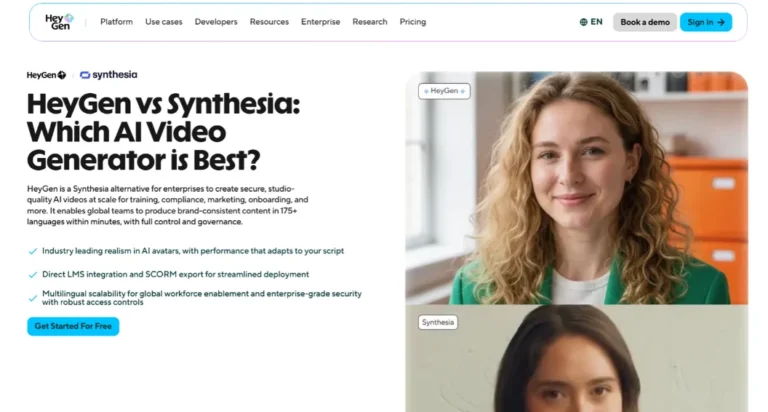
For a full breakdown of the two, see our HeyGen vs Synthesia comparison (listed in the publishing kit below).
4. The weekly market update → InVideo AI or Synthesia
Paste your local stats (median price, days on market, new listings), and a script-to-video tool assembles a short update with stock footage, voiceover and captions. This kind of recurring content keeps you top of mind with past clients and future sellers. Use an AI assistant to draft the script first. Our Claude AI review covers a strong option for writing.
5. Neighbourhood B-roll → Runway or your phone
Generative tools like Runway can create cinematic clips, such as a sunset over a skyline or a coffee-shop street scene, to add atmosphere. But never use AI-generated footage to show the actual property. For the home itself, always use real photos or real video. Generated B-roll is only for mood and general neighbourhood feel, and should be clearly generic.
A Free 30-Minute Listing Video Workflow
Here’s how a solo agent can make a complete listing video for $0:
- Write the script (5 minutes): ask ChatGPT, Claude or Gemini to write a 45-second script from your verified listing facts.
- Create the hosted tour (10 minutes): generate a presenter-led tour in HeyGen’s free plan from your listing photos.
- Make the social cut (10 minutes): import photos into CapCut or Canva, add captions, music and your branding, and export a vertical 9:16 version.
- Check accuracy (3 minutes): watch both videos and confirm every room, feature and number matches the real property.
- Publish (2 minutes): post to your social channels and add the video link to your listing marketing.
Once a free plan’s watermark or limits start holding you back, you’ll know which tool deserves a paid upgrade.
The Fine Print: What “Free” Really Costs
Before you publish a free AI video, check these four things:
| Check | Why it matters for agents |
| Watermark | A visible watermark on client marketing can look unprofessional |
| Commercial use | Some free plans limit commercial rights, and listing marketing is commercial |
| Duration limits | HeyGen’s free videos max out at 1 minute, and others cap length or minutes per month |
| Credit type | Recurring credits (daily or monthly) are better than one-time trial credits for weekly listings |
Keep It Honest: AI Video Compliance for Agents
AI makes property videos easier, but it also makes it easier to mislead buyers by accident. Follow these rules:
- Disclose virtual staging and AI edits. California’s AB 723, effective 1 January 2026, requires disclosure when listing photos add, remove or change physical elements. Many MLSs have similar rules. If your video uses staged or edited photos, label them.
- Don’t let AI “animate” features that don’t exist. Photo-to-motion tools sometimes invent details, such as extra windows, a different view or larger rooms. Review every frame.
- Follow fair-housing rules in your script. Describe the property, not the ideal buyer. Avoid phrases like “perfect for young families.”
- Get consent for digital twins. Only create avatars of people who’ve agreed, and that includes your team members.
- Check local rules if you market property outside the US, such as in the UK, UAE, or Pakistan.
This is general information, not legal advice. Check with your broker and MLS.
Free vs Paid: When Should You Upgrade?
Free plans are perfect for testing. Consider paying when:
- You list more than one or two homes a month and keep hitting monthly limits.
- Watermarks start hurting your brand on client-facing videos.
- You need your own digital twin or a custom voice consistently.
- You want longer videos, 4K export or team collaboration.
A useful rule: upgrade the one tool you use every week, and keep the others on free plans.
Conclusion
The best free AI video generator for real estate agents isn’t a single tool. It’s a small free stack. Use HeyGen for hosted tours and introductions, CapCut or Canva for social reels, Synthesia or InVideo AI for explainers and market updates, and keep generative tools like Runway for neighbourhood atmosphere only. Follow the 30-minute workflow, check the fine print on watermarks and commercial use, and never let AI change what the property really looks like. Start free, learn what works for your market, then upgrade only the tool you rely on every week.
Building your real estate marketing stack? Browse the Rentaai AI tools library, see how Lovable AI can build a property website to host your videos, or explore how agentic AI can automate your follow-up.
Frequently Asked Questions
What is the best free AI video generator for real estate agents?
HeyGen is the strongest free option for presenter-style listing tours. CapCut and Canva are best for free social reels made from your own photos.
Can I turn listing photos into a video for free?
Yes. HeyGen can build a listing video from a Zillow, Redfin, or MLS link, and CapCut and Canva let you turn photos into a video with music and captions on their free plans.
Do free AI video generators add watermarks?
Many do, including HeyGen’s and Synthesia’s free plans. CapCut is widely reported to offer watermark-free exports, but check each tool’s current terms.
Is it legal to use AI video for property listings?
Yes, as long as the video is accurate. Disclose virtual staging or AI edits where required, such as under California’s AB 723 and MLS rules, and never show features the home doesn’t have.
Which free tool is best for an agent introduction video?
HeyGen suits a casual, personal style, while Synthesia’s free plan (10 minutes a month) suits a more polished, professional introduction.