The OpenAI Codex app has changed fast since its February 2026 launch, and most guides are already out of date. Here’s what it is today, what it costs, and how to use it well.
What Is the OpenAI Codex App?
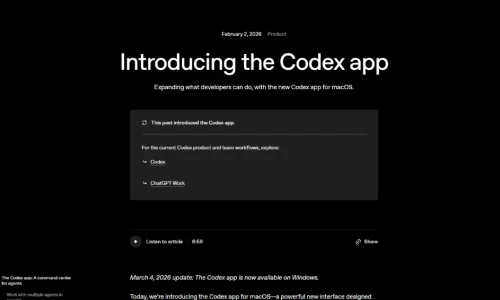
The OpenAI Codex app is a desktop app for macOS and Windows that lets you run and supervise several AI coding agents at once. You give each agent a task, such as fixing a bug, adding a feature, or reviewing a pull request. The agents work in parallel while you review their changes and decide what to keep.
OpenAI calls it a “command center for agents.” Instead of chatting with one assistant in an editor, you manage a small team of agents across your projects.
The app is one of several ways to use Codex, OpenAI’s coding agent. The same ChatGPT account also works in the Codex command-line tool (CLI), the IDE extension, the cloud and, since May 2026, the ChatGPT mobile app. Since July 2026, Codex has also been part of the ChatGPT desktop app, and you can make Codex its default view.
You don’t need a separate subscription. Codex is included in ChatGPT plans, from Free to Enterprise.
How the Codex App Evolved in 2026
The app has grown well beyond its first version.
The key milestones:
- February 2, 2026: OpenAI launches the Codex app for macOS. It passes 1 million downloads in its first week.
- March 4, 2026: The Windows version arrives, with a native sandbox and PowerShell support, after a waitlist of over 500,000 developers.
- April 16, 2026: A major update adds computer use (controlling other Mac apps), an in-app browser, image generation, memory, 90+ plugins, PR review and SSH connections to remote machines.
- May 15, 2026: Codex arrives in the ChatGPT mobile app in preview, so you can check on agents and approve commands from your phone.
- July 9, 2026: Codex joins the ChatGPT desktop app on macOS and Windows. Existing projects and settings carry over.
- November 2026: The app now resumes interrupted chats automatically after a crash. On November 17, OpenAI made its newest models, GPT-6.2 Astra and GPT-6.2 Sol, available in Codex.
Usage has grown alongside it. OpenAI reported more than 3 million weekly Codex users in April and over 4 million by mid-May.
Key Features of the Codex App
Parallel agents with worktrees
This is the app’s core idea. Each task runs in its own thread, grouped by project. Agents can work in separate Git worktrees, which are isolated copies of your code, so two agents can’t overwrite each other’s changes or commit straight to your main branch.
Review built in
You can read every change as a diff, comment on specific lines, and send feedback back to the agent. When you’d rather edit something yourself, one click opens the work in your code editor. Since July you can also review GitHub pull requests in the sidebar.
Skills and automations
Skills are reusable instructions and scripts, such as “how we write tests” or “how we deploy”, that Codex follows when they apply. Automations let Codex run tasks on a schedule in the background, such as a nightly dependency check or a weekly bug triage.
Computer use, browser and plugins
On a Mac, Codex can click, type into, and launch other apps, even ones without an API. Several agents can do this in the background without taking over your screen. The in-app browser lets you preview a web page and leave comments directly on it as instructions. Plugins connect Codex to tools you already use through app integrations and MCP servers.
Memory and remote work
Codex can remember your preferences across sessions. You can also connect it to a remote development machine over SSH. With Codex Remote, generally available since June 2026, you can pair your phone to keep an eye on work running on your computer.
How Much Does the Codex App Cost?
The app is a free download. What you pay for is usage, which comes from your ChatGPT plan. Prices as of November 2026:
| ChatGPT plan | Monthly price | Codex access |
| Free | $0 | Limited, lighter model in the desktop app |
| Go | $8 | A bit more than Free, still limited |
| Plus | $20 | Regular use; limits reset every 5 hours plus weekly caps; can buy extra credits |
| Pro | $100, $200 or $500 | Roughly 5x to 20x+ Plus usage; top tiers get faster “Ultrafast” modes |
| Business | $20/user (annual) or $25 (monthly) | Team features; premium seats with more usage |
| Enterprise / Edu | Custom | Credit-based usage |
You can also skip ChatGPT plans entirely and connect an OpenAI API key, paying per token with no 5-hour window.
Two practical notes:
- Model choice drains your allowance at different speeds. OpenAI’s largest models use far more of your limit per message than its smaller ones. Save the biggest model for hard problems and use a lighter model for routine edits.
- Plans change often. OpenAI paused new sign-ups for one Pro tier in September 2026, then reopened it with a lower allowance. Check OpenAI’s pricing page before you upgrade.
A Practical Workflow: Running Three Agents Without Chaos
Running several agents is powerful, but it’s easy to end up with three half-finished branches and no idea which to trust. This routine keeps it manageable:
- Plan before you dispatch. Ask one agent to outline the work and split it into independent tasks. Tasks that touch the same files shouldn’t run in parallel.
- Give each task its own worktree. Keep agents isolated so their changes never collide.
- Write a clear finish line. For example: “Done when all tests in /payments pass and no other files change.” Vague tasks produce sprawling diffs.
- Start with three agents, not ten. Reviewing is the real bottleneck. Three small diffs you understand beat ten you skim.
- Review in order of risk. Read changes to authentication, payments or data handling first, line by line. Approve cosmetic changes faster.
- Turn repeated corrections into skills. If you correct the same mistake twice, write it down as a skill so every future agent follows it.
- Automate only what you’ve done manually. Once a task works reliably by hand, such as a weekly dependency update, schedule it as an automation.
The same discipline applies to testing. OpenAI now owns Promptfoo, the open-source tool for testing AI apps, which makes a useful companion if you’re building AI features with Codex.
Codex App vs Claude Code and Other Coding Tools
The Codex app’s closest rival is Anthropic’s Claude Code, which also runs in a desktop app on Mac and Windows alongside Claude Cowork. Both offer parallel agents, code review and computer use, and both are bundled into their companies’ chat subscriptions.
The practical differences come down to ecosystem and style:
- Choose the Codex app if you already pay for ChatGPT, want one account across desktop, CLI, IDE, cloud and phone, or want background computer use on a Mac.
- Choose Claude Code if your team already prefers Anthropic’s models. See our Claude review for its strengths.
- Choose an AI code editor like Cursor or GitHub Copilot if you want help while you type rather than agents working on their own.
Many developers mix tools: an editor assistant for hands-on coding, and an agent app like Codex for larger tasks they can hand off.
If you want an agent that goes beyond coding and runs on your own hardware, open-source projects like OpenClaw take a very different, self-hosted approach.
Is the Codex App Safe for Your Code?
Codex runs agents inside a sandbox, and you control how much they can do on their own. You can set rules for which commands run automatically and which need your approval. On Windows, running the app as administrator gives its agents administrator rights too, so only do it when you really need elevated access.
Sensible precautions:
- Keep agents on worktrees or branches, never directly on your main branch.
- Require approval for commands that delete files, push code or touch production.
- Keep secrets such as API keys out of folders that agents can read.
- Be careful with computer use on a machine that has personal accounts signed in.
These habits matter more as agents become more autonomous.
Who Should Use the OpenAI Codex App?
It’s a strong fit for:
- Developers with a backlog of well-defined tasks, such as bug fixes, tests and small features
- Teams already on ChatGPT Business or Enterprise who want agent work under the same account
- Solo builders and freelancers who want to hand off routine work and focus on review
It’s less useful if:
- You mainly want autocomplete while you type; an editor assistant fits better
- Your codebase can’t leave your company’s approved tools or network
- You’re on Linux and want a desktop app; check availability first, as the CLI is the established option there
Conclusion
The OpenAI Codex app has grown from a Mac-only agent manager into a central part of ChatGPT’s desktop experience. Its real value isn’t any single feature. It’s the ability to hand off several well-defined tasks at once and spend your time reviewing instead of typing. Start on the Plus plan with three agents, build up your skills, and upgrade only when you consistently hit limits.
Comparing AI coding tools? Browse our full directory of AI tools to find the right coding assistant or agent for your workflow.
Frequently Asked Questions
Is the OpenAI Codex app free?
The app is free to download, and ChatGPT Free and Go users get limited Codex access. Regular use needs a paid plan, starting with Plus at $20 a month.
Does the Codex app work on Windows?
Yes. The Windows version launched on March 4, 2026, with a native sandbox and PowerShell support. Codex is also part of the ChatGPT desktop app on both macOS and Windows.
What models does the Codex app use?
It uses OpenAI’s latest models. In November 2026, these include GPT-6.2 Astra for the hardest projects and GPT-6.2 Sol for everyday coding.
Can I use the Codex app without a ChatGPT subscription?
Yes. You can connect an OpenAI API key and pay per token instead of using a ChatGPT plan.
Is the Codex app only for coding?
No. Since April 2026 it can also control other Mac apps, browse the web and generate images. Many people now use it for broader work tasks too.