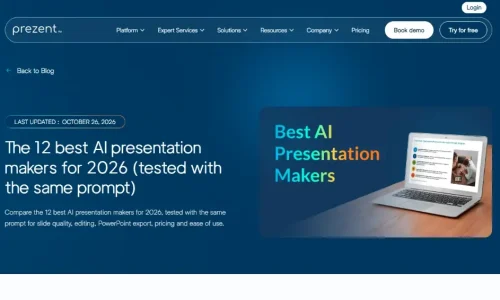
The best AI presentation maker helps you turn simple ideas, documents, and prompts into professional slides without spending hours designing them. Gamma is an excellent overall choice, while Canva, Beautiful.ai, and PowerPoint Copilot offer different advantages for design, branding, and business presentations.
Whether you are a student, marketer, teacher, or business professional, these seven AI presentation tools can help you create attractive slides faster.
What Is an AI Presentation Maker?
An AI presentation maker is software that uses artificial intelligence to generate presentation outlines, slide content, layouts, images, and designs from simple text instructions or uploaded documents.
Instead of manually creating every slide, you describe your topic and let the software prepare an initial presentation. You can then edit the content, change the design, add visuals, and export your finished slides.
Most AI presentation tools offer features such as:
- Text-to-slide generation: Convert written prompts into presentation slides.
- Automatic layouts: Arrange headings, images, and other elements.
- AI writing assistance: Generate summaries, descriptions, and slide content.
- Visual generation: Suggest images, graphics, and illustrations.
- Export options: Download presentations in formats such as PowerPoint or PDF, depending on the tool.
These tools are useful for reducing repetitive design work, but human review remains important for accuracy and presentation quality.
7 Best AI Presentation Maker Tools in 2026
Here are seven popular AI presentation makers, each offering different features for students, professionals, businesses, and creative teams.
1. Gamma – Best Overall AI Presentation Maker
Gamma is one of the strongest options for creating complete presentations from simple text prompts. It transforms ideas, outlines, and existing content into visually organized presentations without requiring advanced design skills.
Its prompt-based workflow makes it particularly useful for people who need a professional first draft quickly.
Key Features:
- Generate presentations from text prompts.
- Convert existing documents into presentations.
- Customize themes, layouts, and visual styles.
- Add AI-generated images and other visual elements.
- Export presentations to PowerPoint and PDF.
Pricing: Gamma offers a free plan with 400 initial credits. Paid plans are available for users who need additional AI features and customization.
Best For: Students, entrepreneurs, marketers, and professionals who want to create presentations quickly.
Our Take: Gamma is a strong starting point if you want an AI tool to handle the initial presentation structure and visual design.
2. Canva – Best for Creative Presentation Design
Canva is a popular online design platform with AI-powered presentation creation features. Its Canva AI and Magic Design tools allow users to describe their presentation ideas and generate design options.
After generating a presentation, you can customize individual slides using templates, photographs, icons, graphics, and other design elements.
Key Features:
- Generate presentation designs from text prompts.
- Access a large collection of templates.
- Customize fonts, colors, and layouts.
- Use AI-powered writing and image features.
- Share, download, and collaborate on designs.
Pricing: Canva offers a free plan, while Canva Pro and other paid options provide additional features. AI access depends on your subscription.
Best For: Content creators, marketers, students, and people who want creative control over their slides.
Our Take: Choose Canva when visual customization and access to a wide design library matter more than automatic slide generation alone.
3. Beautiful.ai – Best for Professional Business Presentations
Beautiful.ai focuses on presentation design consistency. Its Smart Slides automatically adjust layouts as you add or edit content, helping maintain balanced and organized slides.
It is particularly useful for businesses that regularly prepare proposals, reports, presentations, and sales decks.
Key Features:
- AI-assisted presentation generation.
- Smart Slides with automatic formatting.
- More than 300 Smart Slide layouts.
- Custom branding and presentation themes.
- Charts, images, icons, and animations.
Pricing: Beautiful.ai offers a 14-day free trial, with its Pro plan starting at approximately $12 per month when billed annually. Check the official pricing page for current rates.
Best For: Business owners, consultants, sales professionals, and corporate teams.
Our Take: Beautiful.ai is worth considering when consistent formatting and professional-looking business slides are priorities.
4. Microsoft Copilot in PowerPoint – Best for PowerPoint Users
Microsoft Copilot brings AI presentation assistance directly into PowerPoint. Instead of moving between multiple applications, users can generate and improve presentations within Microsoft’s existing software.
You can describe your presentation topic or provide a document as a starting point. Copilot can help organize sections, create slides, rewrite content, and improve existing presentations.
Key Features:
- Create presentations from prompts and documents.
- Generate and reorganize slide content.
- Edit existing presentations using AI.
- Create visuals and improve slide layouts.
- Work within the PowerPoint environment.
Pricing: Copilot availability depends on your Microsoft 365 subscription and eligible licensing.
Best For: Businesses, office professionals, and people who regularly work with PowerPoint.
Our Take: If your final presentation must remain in PowerPoint, Copilot is a practical option because it works directly within the familiar presentation environment.
5. Plus AI – Best for Google Slides and PowerPoint
Plus AI is an AI presentation add-on designed for people who prefer creating slides inside their existing presentation software.
Rather than requiring you to move your entire workflow to a new platform, it helps generate and modify slides in Google Slides and PowerPoint.
Key Features:
- Generate presentations from text prompts.
- Create and rewrite individual slides.
- Improve existing presentation content.
- Work with Google Slides and PowerPoint.
- Support presentation editing and restructuring.
Pricing: Paid subscription plans are available, with pricing depending on the selected plan and billing arrangement.
Best For: Professionals, business teams, and users who already work with Google Slides or PowerPoint.
Our Take: Plus AI is a useful alternative when editable slides inside your existing presentation workflow are more important than using a standalone design platform.
6. Pitch – Best for Team Collaboration
Pitch is a presentation platform designed for teams that need to create, edit, and share presentations together. Its AI features help users develop presentation content while its collaboration tools support shared projects.
It is especially relevant for startup teams, sales departments, and businesses that regularly prepare presentations for clients.
Key Features:
- AI-assisted presentation creation.
- Shared presentation workspaces.
- Real-time collaboration.
- Presentation templates.
- Sharing and presentation engagement features.
Pricing: Pitch offers a free plan and paid options for additional team and presentation features.
Best For: Startups, sales teams, agencies, and collaborative business projects.
Our Take: Pitch is a good choice when several people need to contribute to the same presentation.
7. SlidesAI – Best for Quick AI Slides
SlidesAI helps users create presentations from written content without building every slide manually. It is designed for people who want to convert text into structured slides through an AI-assisted workflow.
It can be useful for turning educational notes, business information, and written outlines into presentation drafts.
Key Features:
- Convert text into presentation slides.
- Generate slide outlines and content.
- Summarize lengthy written information.
- Customize presentation themes.
- Work with Google Slides and PowerPoint workflows.
Pricing: SlidesAI provides free and paid options. Usage limits and available features depend on the selected subscription.
Best For: Students, educators, and professionals who frequently convert written information into presentations.
Our Take: SlidesAI is worth exploring if your main requirement is turning existing text into a presentation rather than designing everything from scratch.
Best AI Presentation Makers Compared
Choosing the right tool becomes easier when you compare their main strengths and intended users.
| AI Tool | Best For | Free Option |
| Gamma | Overall presentation creation | Yes |
| Canva | Creative designs | Yes |
| Beautiful.ai | Business presentations | 14-day trial |
| PowerPoint Copilot | PowerPoint users | Eligible paid plans |
| Plus AI | Google Slides and PowerPoint | Free trial |
| Pitch | Team collaboration | Yes |
| SlidesAI | Text-to-slide generation | Yes |
Free access does not always mean unlimited AI generation. Some platforms provide limited credits, trials, or restricted features. Always check the official pricing pages before subscribing.
How to Choose the Best AI Presentation Maker
Not every presentation tool is suitable for every project. Consider these factors before selecting one.
1. Check AI Generation Quality
Choose software that understands your topic and produces a logical presentation structure. A good tool should create relevant headings, concise explanations, and useful slide suggestions.
2. Review Editing and Export Options
Check whether you can edit individual slides and export your presentation into the format you need. If your workplace requires PowerPoint files, verify PPTX export compatibility before paying.
3. Compare Free and Paid Plans
Look beyond the advertised starting price. Review monthly AI credits, slide-generation limits, export restrictions, branding, and collaboration features.
4. Consider Branding and Customization
For business presentations, consistent fonts, colors, logos, and layouts matter. Choose a tool that allows you to maintain your brand identity across different projects.
5. Check Privacy and Data Handling
If you are uploading confidential business documents, review the platform’s privacy policy, data retention practices, and organizational security options before sharing sensitive information.
How to Create a Presentation Using AI
You do not need professional graphic design experience to create a presentation with AI. Follow these steps:
- Choose an AI presentation tool: Select Gamma, Canva, or another platform according to your requirements.
- Write a clear prompt: Explain your presentation topic, audience, purpose, and preferred style.
- Generate the slides: Let the AI create an initial outline and presentation draft.
- Review the information: Check facts, statistics, examples, and important details.
- Customize the design: Adjust colors, fonts, images, and slide layouts.
- Export your presentation: Download the final version in your required format.
For better results, avoid vague instructions. A detailed prompt gives the AI more context about the audience and the information each slide should communicate.
Conslusion
The best AI presentation maker depends on your workflow, budget, and design requirements. Gamma is a strong overall choice for creating presentations from prompts, Canva offers greater creative flexibility, and Beautiful.ai is useful for consistent business designs.
If you already work with PowerPoint or Google Slides, consider Copilot or Plus AI. For collaborative projects, Pitch is another practical option.
Before purchasing a subscription, test the free version or trial, check export options, and review the generated slides carefully. The right AI presentation tool should save design time while helping you communicate your ideas more clearly.
Explore more AI software reviews, comparisons, and productivity tools at RentaAI to find solutions that fit your workflow.
Frequently Asked Questions
1. What is the best AI presentation maker in 2026?
Gamma is a strong overall option because it can generate complete presentations from text prompts and documents. Canva and Beautiful.ai are also excellent alternatives for different design requirements.
2. What is the best free AI presentation maker?
Gamma and Canva both offer free options. However, their AI usage limits and available features differ, so review their free plans before choosing.
3. Can AI create PowerPoint presentations?
Yes. Tools such as Microsoft Copilot, Gamma, Plus AI, and SlidesAI can help generate presentation content or slides for PowerPoint workflows. Export availability varies by platform and subscription.
4. Are AI-generated presentations accurate?
Not always. AI can generate incorrect facts, outdated statistics, or misleading information. Always verify important claims and review the slides before presenting them.