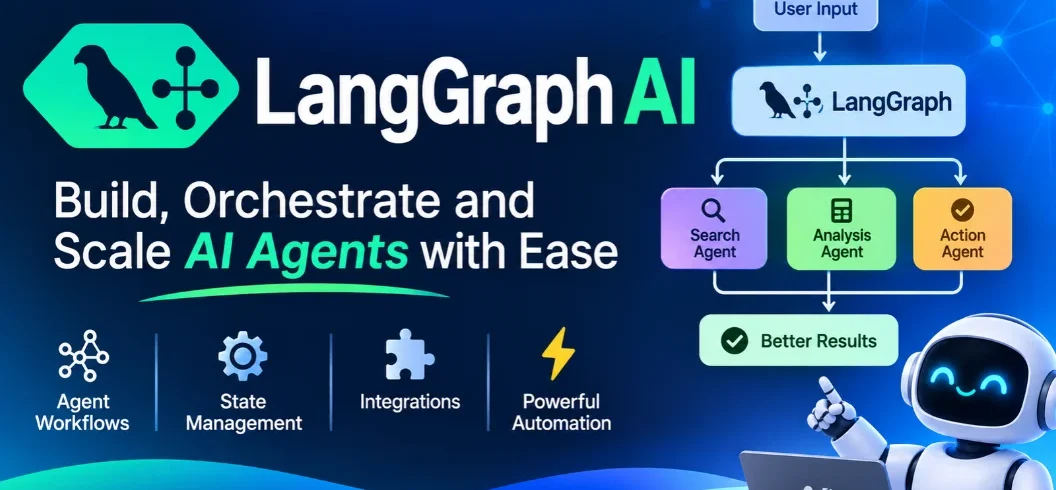

LangGraph AI is an open-source framework for building, controlling, and managing advanced AI agents. Developed by LangChain, it lets developers build applications using connected steps called nodes and edges. These components help AI agents manage information, make decisions, use tools, and complete complex tasks. Unlike simple chatbot frameworks, LangGraph supports stateful workflows, conditional routing, persistent memory, and human approval.
In 2026, LangGraph has become an important option for developers building reliable AI applications that need more control over how agents operate.
But what makes LangGraph different, how does its architecture work, and should developers use it instead of alternatives such as CrewAI?
This guide covers its features, architecture, practical applications, pricing, and a beginner-friendly tutorial.
What Is LangGraph AI?
LangGraph is a low-level orchestration framework for building stateful, multi-step AI applications.
It is developed by LangChain and provides developers with more control over an agent’s execution process.
Traditional AI applications often follow a straightforward pattern: receive a question, generate an answer, and return the result.
However, complicated applications may require several additional activities, including searching databases, calling external tools, checking information, requesting human approval, and repeating steps when necessary.
LangGraph organizes these activities into a graph-based workflow.
Developers define how information moves between different operations and determine what happens after each step.
The framework supports Python and JavaScript, making it suitable for different development environments.
Importantly, LangGraph is not an AI model. It is the infrastructure used to organize an AI application’s logic and execution.
How Does LangGraph Work?
LangGraph uses a graph-based architecture built around three fundamental components: state, nodes, and edges.
1. State
State represents the information currently available to an application.
It can contain conversation history, user inputs, research results, tool responses, and other information required by the workflow.
For example, a customer support agent might maintain a state containing the customer’s question, account information, previous messages, and proposed solution.
2. Nodes
Nodes are individual functions responsible for performing specific operations.
A node might call an AI model, retrieve information from a database, validate an answer, or execute a business rule.
Each node receives information from the graph state and can return updates.
3. Edges
Edges determine which node executes next.
Some edges follow a fixed sequence, while conditional edges select different paths based on the current state.
For example, a support workflow could send a simple question to an automated response node while routing a billing complaint to a human representative.
Together, these components create flexible workflows that can branch, repeat, and coordinate multiple operations.
7 Key Features of LangGraph AI
LangGraph provides several capabilities that make it useful for building sophisticated AI agents.
1. Stateful AI Workflows
One of its main strengths is the ability to manage application state across multiple execution steps.
Instead of treating every operation as an isolated request, LangGraph allows agents to work with information accumulated throughout a workflow.
This is particularly useful for applications involving extended conversations or complicated decision-making.
2. Persistent Memory and Checkpointing
LangGraph supports persistence through checkpointers and stores.
Checkpointers save graph state at specific points, allowing an application to continue a workflow after an interruption.
Stores can maintain information across different conversations or threads.
For example, a personal assistant could retain relevant preferences while keeping individual conversation states separate.
3. Human-in-the-Loop Controls
Not every AI decision should happen automatically.
LangGraph includes an interrupt mechanism that allows developers to pause execution and request external input.
A financial application could use this capability to request human approval before processing a sensitive operation.
After approval, the graph can resume from its saved state.
4. Conditional Routing
Developers can create workflows that follow different paths depending on the information received.
For example, an AI research agent might:
- Search documentation when information is missing.
- Validate results when sources are available.
- Request clarification when instructions are incomplete.
- Finish the task when all requirements are satisfied.
This makes workflows more flexible than a simple sequence of prompts.
5. Multi-Agent Coordination
LangGraph supports building systems in which multiple specialized agents work together.
Each agent can handle a different responsibility, while the overall graph controls how tasks and information move between them.
A research application might use one agent for information gathering, another for analysis, and a third for reviewing the final report.
6. Streaming and Workflow Visibility
LangGraph supports streaming execution updates.
This allows applications to display progress, intermediate messages, and other execution information while an agent is working.
Developers can also use LangSmith for tracing and debugging to understand how an application behaves.
7. Deployment and Production Support
Building an AI agent is only one part of development. Applications also need reliable hosting and management.
LangGraph can be deployed using self-managed infrastructure or LangSmith Deployment, depending on the project’s requirements.
The hosted platform supports long-running agent applications, persistent state, and production management.
How to Build a Simple LangGraph AI Agent
You do not need to start with a complicated multi-agent application. A basic graph is a good way to understand how the framework works.
Follow these steps to create a simple Python workflow.
Step 1: Install LangGraph
First, install Python and create a project environment.
Run the following command:
pip install -U langgraph
The current Python package requires Python 3.10 or newer.
Step 2: Import the Required Components
Create a Python file and import the necessary classes.
from typing_extensions import TypedDict
from langgraph.graph import StateGraph, START, END
These components allow you to define the workflow’s state and execution structure.
Step 3: Define the State
Create a simple state schema containing a message.
class State(TypedDict):
message: str
This tells LangGraph what information the workflow will manage.
Step 4: Create a Node
Now create a function that receives the current state and updates its message.
def process_message(state: State):
return {
“message”: state[“message”] + ” – Processed by LangGraph”
}
This example uses ordinary Python logic rather than an external AI model.
Step 5: Connect the Graph
Create a graph and connect its starting point, processing node, and ending point.
builder = StateGraph(State)
builder.add_node(“process”, process_message)
builder.add_edge(START, “process”)
builder.add_edge(“process”, END)
graph = builder.compile()
Step 6: Run the Application
Execute the graph with an input message.
result = graph.invoke({
“message”: “Hello AI”
})
print(result)
The output will contain:
Hello AI – Processed by LangGraph
This simple example demonstrates the basic graph structure. You can extend it by connecting language models, external tools, databases, and conditional routing.
Practical Use Cases of LangGraph AI
LangGraph is particularly useful when an application needs several connected operations rather than a single AI response.
Customer Support Automation
Businesses can develop agents that understand customer questions, retrieve information, and suggest responses.
More complicated requests can be paused and sent to human support representatives.
This helps combine automated assistance with human supervision.
AI Research Assistants
A research assistant can use separate nodes for searching, collecting information, analyzing findings, and preparing summaries.
Conditional routing can determine whether additional research is necessary before producing a final report.
Data Analysis Applications
Developers can build agents that retrieve data, process information, generate insights, and prepare reports.
For example, an application could analyze sales records and identify unusual changes that require investigation.
Software Development Agents
LangGraph can coordinate coding assistants that inspect requirements, generate code, run tests, and review errors.
Developers can also introduce approval steps before code changes are merged or deployed.
Financial and Business Workflows
Businesses can use LangGraph to coordinate document processing, compliance checks, and internal approval procedures.
Sensitive actions should include suitable validation and human authorization.
LangGraph vs LangChain vs CrewAI
These frameworks support AI development, but their main approaches are different.
| Feature | LangGraph | LangChain | CrewAI |
| Main purpose | Agent orchestration | AI application development | Multi-agent collaboration |
| Architecture | Graph-based | Higher-level components and agent abstractions | Role-based agents and crews |
| Workflow control | Detailed | Depends on abstraction | Task and crew configuration |
| State management | Built-in graph state and persistence | Depends on implementation | Agent and flow state |
| Best for | Complex, controlled workflows | General AI applications | Collaborative agent teams |
LangGraph is suitable when developers need precise control over execution, branching, and persistent state.
LangChain offers higher-level abstractions that can make common AI applications easier to build.
CrewAI is useful when a project naturally fits a team of specialized agents with separate roles.
The best choice depends on the complexity of the application and the amount of control developers require.
Is LangGraph Free?
The core LangGraph framework is open-source software released under the MIT license.
Developers can install and use it without paying a LangGraph subscription fee.
However, building and operating an AI application can involve additional expenses.
These may include:
- Language model API usage.
- Cloud hosting and computing resources.
- Database and storage services.
- Monitoring and observability.
- Managed deployment services.
LangSmith, which provides observability and deployment capabilities, has separate subscription pricing.
Its published plans include:
| Plan | Price | Best for |
| Developer | $0 per seat/month | Individual developers |
| Plus | $39 per seat/month | Teams building and deploying agents |
| Enterprise | Custom pricing | Organizations with advanced requirements |
Additional usage and deployment resources may be billed separately.
Check the official LangSmith pricing page for current details.
Advantages and Limitations of LangGraph
Before choosing LangGraph, consider both its strengths and limitations.
| Advantages | Limitations |
| Open-source framework | Requires programming knowledge |
| Detailed workflow control | More initial setup |
| Persistent state management | Persistence needs configuration |
| Conditional routing and loops | Complex graphs can be difficult to maintain |
| Human approval support | Developers must design safe approval processes |
| Python and JavaScript support | External model and hosting costs may apply |
Its flexibility is valuable, but beginners may find graph-based development more difficult than using a simple no-code agent builder.
Is LangGraph AI Worth Learning in 2026?
LangGraph is worth learning if you want to develop advanced AI applications with greater control over how agents operate.
It is particularly relevant to Python developers, AI engineers, software development teams, and businesses building production automation systems.
Its biggest advantage is creating workflows that maintain state, recover from interruptions, and follow clearly defined execution paths.
However, it is not necessary for every AI project.
If you only need a basic chatbot or a straightforward model interaction, a higher-level framework may be easier to use.
Start with a small workflow, understand nodes and edges, and gradually introduce persistence, tool calling, and human approval.
Conclusion
LangGraph AI provides developers with a flexible foundation for building advanced, stateful AI agents.
Its graph-based architecture, persistent memory, conditional routing, and human-in-the-loop controls make it suitable for applications that require more than basic chatbot functionality.
Although it has a learning curve, the additional control can be valuable when developing reliable AI workflows.
If you want to move beyond simple AI chatbots and build applications that can manage complex tasks, LangGraph is a framework worth exploring in 2026.
Frequently Asked Questions
1. What Is LangGraph AI Used For?
It helps developers build AI agents and automate complex workflows.
2. Is LangGraph Free?
Yes. LangGraph is open-source and free under the MIT license.
3. What Is the Difference Between LangGraph and LangChain?
LangGraph manages complex agent workflows, while LangChain provides tools for building AI applications.
4. Is LangGraph Worth Learning in 2026?
Yes. It is useful for building advanced AI agents with memory, automation, and workflow control.

Leave A Comment