
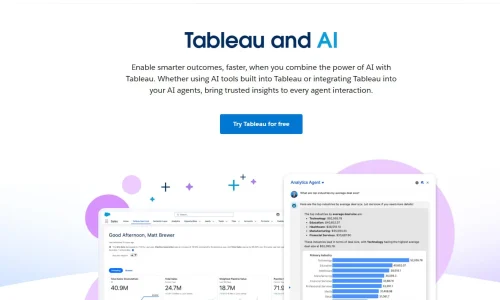
Tableau AI is redefining the current data analytics, whereby Tableau provides a powerful visualisation platform with the artificial intelligence capabilities of data preparation, analysis, and insights, which are now quicker and more intuitive.
This comprehensive tutorial benefits users learning to use Tableau AI, detailing how it functions, its advantages, cost, learning curve, availability in the labour market, and a comparison with such applications as Excel, Python, SQL, and even ChatGPT. Regardless of your position as a novice or data analyst with expertise, this article can make you realise the role of Tableau AI in the data-driven world today.
Introduction to Tableau AI
Tableau AI is the development of Tableau from an ordinary business intelligence platform to a smart analytics platform. Tableau AI empowers users with the capability of artificial intelligence and machine learning that enable users to engage with data in a more natural way, automate insights, and reduce the time taken to transform raw data into actionable data.
In recent organisations, there is an increasing volume of data, and decision-makers require quicker methods of updating on trends and patterns. Tableau AI is used to overcome this issue by amplifying the visualisation, prognostication, natural language queries, and automated explanations. Rather than using manual creation of charts only, users can use Tableau AI in order to automatically surface insights and communicate them effectively across teams.
The trend to develop Tableau AI is also a reflection of a wider change in analytics: software is becoming more user-friendly to non-technical readers and provides features of in-depth analysis to advanced analysts. This equilibrium is among the causes that Tableau AI is still becoming popular in industries.
What Is Tableau AI and How It Works
Tableau AI is not one piece of software, but a set of smart features through which Tableau is created. Such capabilities are based on machine learning models and statistical techniques, along with natural language processing to support users along the analytics lifecycle.
Tableau AI, in essence, works out patterns in data and recommendations are made about it, in the form of visualisations and explanations. Options such as automated forecasting, clustering, and anomaly detection enable the user to know what is occurring in his or her data without having to write complicated code. Features of natural language enable users to pose questions using simple language and get graphical responses.
The Tableau approach in AI centres on the visual analytics alongside human intuition. Tableau AI does not substitute analysts, but enhances their skills. It helps to explore because trends, correlations and outliers are displayed visually, simplifying the interpretation and action of complex information.
Key Features of Tableau AI
The capability of introducing intelligence into daily operational processes is one of the strengths of Tableau AI. Consumers do not have to go through various tools to leverage AI-enhanced insights.
One of its prominent features is automated insights. Tableau AI can draw attention to important causes of metric changes and will allow the user to realise not only what has changed, but why. The ability to forecast will enable analysts to extrapolate the future based on past trends, and will prove particularly useful in the sales, finance and operations departments.
Natural language interaction is another accessory. Users are able to type queries concerning their data, and immediately, visual responses occur. This reduces the entry barrier of new entrants and accelerates the analysis of professional analysts.
Benefits of Using Tableau AI
Tableau-AI has more advantages than mere automation. Speed is yet one of the greatest benefits. Tableau-AI enables analysts to think at a higher level and concentrate on future strategy because it automates more basic tasks, such as data preparation and certain analyses.
Accuracy is another benefit. Machine learning models are able to detect patterns and anomalies which might be missed in manual analysis. This will result in increased dependable insights and informed decisions.
Tableau-AI also works better with collaboration. The experience can be shared in the form of interactive dashboards with AI-generated explanations. This would make the findings comprehensible and reliable to stakeholders having varying data literacy of different levels.
In general, Tableau-AI can assist organisations to become more data-driven by accelerating access to analytics, making it easier to understand and clearer.
Tableau AI Pricing and Costing
Tableau AI cost will vary depending on the products and licenses of Tableau used. Tableau-AI is not sold as a feature, but it is usually added to a larger subscription package offered by Tableau.
To assess the cost of Tableau-AI, organisations tend to calculate the value of this technology based on the time saved, better decision-making, and dependence on the manual mode of analysis. Even though the initial commitment of subscribing can be high in consideration of certain individuals, most of the businesses will discover that the investment will be paid through the returns.
Besides the licensing, some of the other training resources that users can invest in include Tableau eLearning. These tools assist the teams in using the full capabilities of Tableau-AI and make the maximum of these opportunities.
Tableau AI: Time and Effort to Learn
Tableau AI is based on what you know and hopefully accomplish. Anyone who has never worked in analytics can begin building basic visualisations in a few days. By working hard, one can master the practical knowledge of Tableau within a short time.
To people who would question whether Tableau could be learnt in a very short period of time, it depends on what one expects. Simple dashboards, along with basic concepts, can be mastered very fast, although advanced calculations, forecasting, and data modelling are more challenging aspects of Tableau-AI mastery.
Most of the learners discover that a week of practice is sufficient to get used to essential features. Weaknesses can be improved through further training and practical assignments.
Tableau AI versus Traditional Tools
The differences become apparent when Tableau AI is compared to such traditional tools as Excel. Excel serves well with small data sets, complex analysis, and visualisation, but with large data sets, complex analysis and data visualisation, it can be very cumbersome. Tableau-AI is good at processing intricate data and visualising the results.
Tableau-AI is easier to use as compared to programming languages such as Python. Custom analysis is more flexible and controllable with Python, but one would need to know code. Tableau-AI eliminates the use of code and yet provides powerful insights.
Tableau-AI is not a substitute but a complement of SQL in the case of SQL. SQL is necessary in data extraction and transformation, whereas Tableau-AI is concentrated on analysing and visualising. It is often used alongside several professionals aiming for the highest efficiency.
Tableau AI and ChatGPT Scalawag
ChatGPT with Tableau AI can be used to improve productivity. ChatGPT may be beneficial in clarifying calculations, brainstorming about dashboards, or even in writing documentation and notes due to Tableau knowledge.
Although ChatGPT is a platform that is conceptually capable of doing some data analysis, it does not substitute the interactive and visualisation features of Tableau-AI. As an alternative, the two tools complement each other, and ChatGPT facilitates meaning and communication, while Tableau-AI performs visual analytics.
It is specifically helpful to use this combination by teams that choose to convert data insights into understandable stories to be delivered in the form of a presentation and reports.
Tableau Data types and Data analytics
To make proper use of Tableau-AI, it is important to understand the types of data. Tableau assists in various fundamental data types that determine the visualisation and analysis of data. These are numerical, string, date, and geographic data, among others.
There are also analytical principles that can be used in Tableau dashboards, such as the 80/20 rule. This rule can assist the analysts in narrowing down on the most impactful information pieces so that the insights can be actionable as opposed to overwhelming.
Tableau-AI builds on these ideas by automatically pointing out the contributing factors and trends, and it is easier to put the analytical frameworks into effect.
Tableau AI in the Job Market
Skills in Tableau AI are in high demand since organisations are becoming more and more dependent on the use of data-driven decision-making. Employers prefer investment in professionals who can create dashboards and, additionally, translate the insights and convey them appropriately.
Tableau-AI is highly balanced in terms of analytics and usability as compared to other tools. This renders it appealing to first-time entrants to the field and also those analysts who are already in the field but strive to reach out to a larger skill base.
With data gaining increased significance, Tableau-AI expertise will probably remain useful in any industry.
Tableau eLearning and Training Value
Tableau eLearning offers a system of structured courses in an academic form, from basic to advanced user levels. Such classes usually involve practical activities, tests, and qualifications.
Tableau eLearning is also worthy of the investment of many learners as it enhances skills faster and gives a clear direction on how to learn. When used together with real-life applications, it provides users with confidence in effective work with Tableau AI.
Conclusion
Tableau AI is an important innovation in analytics that combines visualisation with artificial intelligence and intuitive design. It empowers the users to dive deeper into the data, discover information quickly and easily share the findings.
Regardless of whether the comparison is made between Tableau AI and Excel, Python, or SQL or the use of Tableau as a complement to other tools such as ChatGPT, its usefulness is in the accessibility and actionability of data. As the job market becomes increasingly more in demand, and Tableau AI possesses a robust collection of resources to learn from, it remains an effective option in the current data analytics field.
Frequently Asked Questions
Would I be able to acquire Tableau AI fast?
No, it will only take a few days to make a beginner creating dashboards, but more complex features can require more time to master.
Better than Excel? Tableau AI.
Tableau AI is more efficient and informative as compared to Excel when working with large datasets and complicated visual representations.
Is Tableau AI compatible with ChatGPT?
Yes, ChatGPT will help to explain, create ideas, and write documents, whereas Tableau AI works with visual analytics.
Is Tableau AI in demand?
Yes, Tableau AI expertise can be used successfully in the job market because the need to use data in making decisions is on the rise.



2 Replies to “Tableau AI: Unlock Smart Insights/Risk Falling Behind”
peter larryson
thank your for this article, keep up the good work
Weaverex
Thank you! We truly appreciate your support and kind words