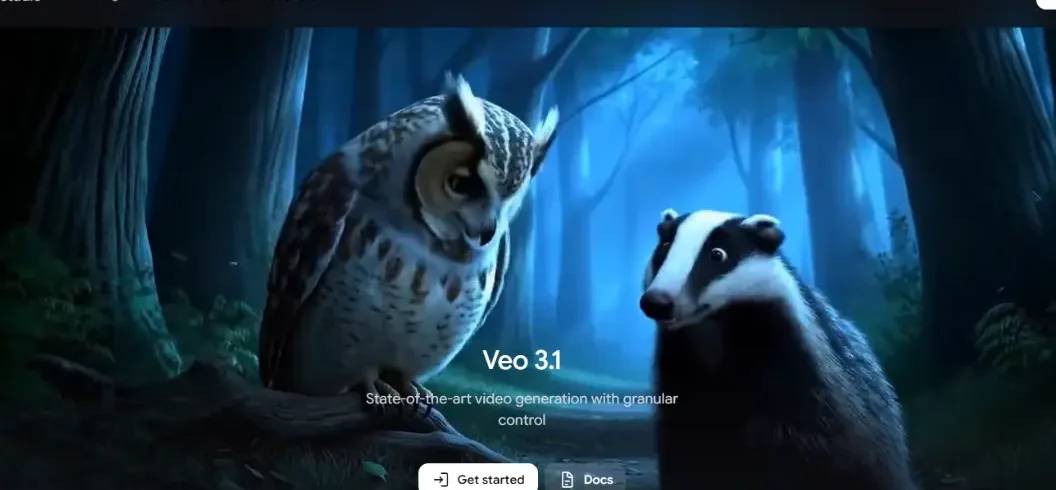

Google Veo 3 is a generative AI video model from Google DeepMind that creates realistic videos from text and image prompts. Its standout feature is native audio generation, allowing it to produce dialogue, sound effects, and ambient audio alongside video.
Creators can describe characters, locations, actions, camera movements, lighting, dialogue, and sound in a prompt. This makes the model useful for social media videos, cinematic scenes, advertisements, education, storytelling, and product visualization.
Google has also continued developing the Veo family with Veo 3.1, which adds improved consistency, reference-image workflows, creative controls, scene extension, and expanded video-generation capabilities.
What Is Google Veo 3?
Google Veo 3 is an AI video generation model developed by Google DeepMind. It can turn written instructions and images into short video scenes.
Unlike basic text-to-video tools, the model can interpret detailed instructions about what should appear, how subjects should move, how the camera should behave, and what sounds should accompany the scene.
For example, a creator can describe a person walking through a rainy city at night, with reflections on the road, traffic in the background, footsteps, and spoken dialogue. The model attempts to combine these elements into one generated scene.
The ability to create audio together with video is one of the biggest reasons Google Veo 3 became important in AI video generation.
How Does Google Veo 3 Work?
Google Veo 3 interprets natural-language prompts and converts them into visual and audio content.
A detailed prompt can include:
- Subject or character
- Location
- Action
- Camera movement
- Lighting
- Visual style
- Dialogue
- Sound effects
- Ambient sounds
- Mood
For better results, creators should describe the scene clearly instead of using very general instructions.
For example, instead of saying “a man walking,” a creator could describe a man wearing a dark coat walking through a busy city street after rain while the camera slowly follows him.
This provides more information about the subject, environment, movement, and camera.
What Makes Google Veo 3 Different?
The biggest difference is native audio generation. The model can generate visual content and accompanying audio within the same workflow.
It can create dialogue, environmental sounds, and sound effects while also generating the video.
Other important capabilities include realistic movement, detailed prompt understanding, cinematic composition, and improved synchronization between characters and speech.
Key Google Veo 3 Features
| Feature | What It Does |
| Text-to-video | Creates videos from written prompts |
| Image-to-video | Animates images into video |
| Native audio | Generates audio with video |
| Dialogue | Creates spoken character dialogue |
| Sound effects | Adds scene-related sounds |
| Ambient audio | Creates background environmental sounds |
| Prompt understanding | Interprets detailed instructions |
| Cinematic generation | Supports film-style scenes |
| Lip synchronization | Matches speech with character movement |
Google Veo 3 Audio Generation
Audio is one of the strongest features of this AI video model.
Dialogue
Creators can instruct characters to speak specific lines or participate in conversations. This makes the technology useful for short stories, advertisements, demonstrations, and social content.
Sound Effects
Prompts can include sounds such as:
- Footsteps
- Rain
- Thunder
- Vehicles
- Doors
- Machinery
- Birds
- Crowd noise
Ambient Sound
Background sounds help establish the environment. A busy street, forest, restaurant, or classroom can have different audio characteristics.
This can make AI-generated scenes feel more complete without requiring every sound to be added manually afterward.
Can Google Veo 3 Create Videos From Images?
Yes. Supported Veo workflows can use an image as the starting point for video generation.
This is useful for:
- Character images
- Product images
- Illustrations
- Concept art
- Landscapes
- Photographs
For example, a creator can provide a landscape image and instruct the model to add moving clouds, wind, and a slow cinematic camera movement.
Image-based generation can provide additional visual direction when a creator wants to preserve the appearance of a particular subject or scene.
How to Write Better Google Veo 3 Prompts
Detailed prompts generally provide more creative control.
A simple formula is:
Subject + Location + Action + Camera + Lighting + Style + Audio + Dialogue
For example:
A young woman in a red jacket stands on a mountain viewpoint at sunrise. The camera slowly moves from a wide shot to a medium close-up. Warm sunlight illuminates the landscape. Wind moves her hair naturally, with birds and soft wind in the background.
This prompt defines the subject, location, action, camera, lighting, and sound.
Creators can also specify camera styles such as wide shots, close-ups, tracking shots, low angles, aerial views, and slow camera movements.
What Can You Use Google Veo 3 For?
1. Social Media Videos
Creators can use AI-generated clips for YouTube Shorts, social media storytelling, educational content, and creative experiments.
2. Marketing Content
Businesses can create concepts for:
- Product advertisements
- Promotional videos
- Brand storytelling
- Social campaigns
- Product demonstrations
It can also help marketers test creative ideas before investing in traditional video production.
3. Film and Storytelling
Filmmakers can use Veo to visualize scenes, test concepts, develop story ideas, and experiment with cinematic compositions.
4. Education
Teachers and educational creators can use generated scenes to explain concepts visually. AI-generated historical or scientific scenes should be clearly identified when viewers could mistake them for authentic footage.
5. Product Visualization
Businesses can visualize products, advertising concepts, and promotional scenes before creating final commercial footage.
Google Veo 3 vs Veo 3.1
Veo 3.1 builds on the capabilities introduced by Veo 3.
| Capability | Veo 3 | Veo 3.1 |
| AI video generation | Yes | Yes |
| Native audio | Yes | Yes |
| Dialogue | Yes | Yes |
| Image-to-video | Yes | Yes |
| Reference images | Supported | Improved |
| Character consistency | Developing | Improved |
| Scene extension | Supported | Improved |
| Creative controls | Yes | More advanced |
| Vertical workflows | Supported in some experiences | Expanded |
For users researching Google Veo 3 today, it is useful to understand that the model belongs to a continuously evolving Veo ecosystem.
Google Veo 3 vs Traditional Video Production
Traditional video production requires cameras, actors, locations, lighting, microphones, and editing.
AI video generation allows creators to begin with a written idea and quickly produce visual concepts.
However, it does not completely replace professional filmmaking. Traditional production still offers greater control over real performances, locations, physical props, cinematography, and long-form continuity.
Veo is especially useful for concept development, short scenes, experimentation, and digital content.
Does Google Veo 3 Generate Realistic Videos?
Yes, realism is one of the model family’s major goals.
However, AI-generated footage can still contain mistakes involving:
- Hands and faces
- Objects
- Text
- Physics
- Character consistency
- Speech
- Audio
Creators should review generated footage before publishing it, especially for commercial, educational, or factual content.
Is Google Veo 3 Free?
Access depends on the Google product, subscription, region, and account type.
Some Veo capabilities are available through Google’s consumer AI products, while other workflows are offered through developer and cloud platforms.
Because pricing and availability can change, users should check the current Google product they plan to use.
Where Can You Use Google Veo 3?
Depending on availability, Google’s Veo technology can be accessed through parts of its AI ecosystem, including:
- Gemini
- Google Flow
- Google AI Studio
- Gemini API
- Vertex AI
- Google Vids
Features can differ between platforms, so users should check the specific service before choosing a workflow.
Google Veo 3 for Developers
Developers can integrate Google’s video-generation technology into applications through its AI development ecosystem.
Potential uses include:
- Automated video generation
- Marketing tools
- Educational applications
- Storytelling platforms
- Creative software
- Personalized video systems
This allows developers to make video generation part of an automated application rather than relying entirely on manual production.
Google Veo 3 Limitations
- Short Video Duration: The model is mainly useful for short clips. Long-form projects require multiple generations and editing.
- Prompt Sensitivity: Small changes in wording can produce different results, so creators may need several attempts.
- Character Consistency: Maintaining exactly the same character across multiple scenes can still be difficult, although newer workflows improve consistency.
- AI Artifacts: Generated footage can sometimes contain visual or audio errors.
- Editing Still Matters: Professional content may still need trimming, captions, color correction, sound editing, narration, or other post-production.
Is Google Veo 3 Good for YouTube?
Yes. Google Veo 3 can be useful for YouTube Shorts, cinematic scenes, educational videos, storytelling, concept footage, and creative experiments.
However, AI-generated video alone does not guarantee a successful channel. Strong topics, useful information, storytelling, editing, thumbnails, and titles still matter.
Is Google Veo 3 Safe to Use?
Google has introduced safety and provenance technologies for its generative AI content.
Creators should still consider copyright, privacy, consent, impersonation, and platform policies when publishing AI-generated videos.
For factual content, clearly identifying synthetic or reconstructed scenes can also reduce viewer confusion.
Conclusion
Google Veo 3 is a powerful AI video generation model for turning written ideas and images into short visual scenes with audio. Its ability to generate dialogue, sound effects, ambient audio, realistic movement, and cinematic scenes makes it useful for creators, marketers, educators, developers, and storytellers.
The Veo family continues to evolve through newer versions such as Veo 3.1. For beginners, the best approach is to start with simple but detailed prompts describing the subject, environment, action, camera, lighting, audio, and dialogue.
Rather than replacing traditional filmmaking completely, Google Veo 3 is best viewed as a creative tool that can speed up ideation, visualization, and short-form video production.
Frequently Asked Questions
1. What is Google Veo 3?
Google Veo 3 is an AI video generation model that creates videos from text and image prompts, including dialogue, sound effects, and ambient audio.
2. Can Google Veo 3 generate audio?
Yes. Google Veo 3 can generate dialogue, sound effects, and background audio together with the video.
3. Can Google Veo 3 create videos from images?
Yes. Supported Veo workflows can turn images into video while adding movement, camera effects, and other visual elements.
4. Is Google Veo 3 good for YouTube?
Yes. It can help create YouTube Shorts, cinematic scenes, educational videos, storytelling content, and creative visual clips.

Leave A Comment