
Visit Tool
Relevance AI is a no-code AI agent platform that helps businesses build, connect, and manage artificial intelligence workers. These agents can perform tasks such as researching sales leads, updating customer records, answering support questions, and generating reports. Unlike a traditional chatbot, Relevance AI allows multiple specialized agents to work together through automated workflows.
In 2026, its capabilities include AI agent creation, workflow orchestration, external integrations, business knowledge connections, and automated task execution.
But how does Relevance AI actually work, what does it cost, and is it worth using?
This guide explains the platform’s capabilities, pricing, practical applications, and limitations so you can make an informed decision.
What Is Relevance AI?
Relevance AI is a platform designed to help individuals and organizations create autonomous AI agents without building an entire automation system from scratch.
An AI agent is software that can interpret instructions, use tools, process information, and complete defined tasks.
For example, a sales agent might research a company, retrieve relevant details, and prepare a personalized outreach draft.
Relevance AI brings these capabilities together through a system it calls an AI Workforce.
An AI Workforce consists of multiple agents with different responsibilities. Instead of assigning every activity to one general-purpose assistant, businesses can create specialized agents and connect their workflows.
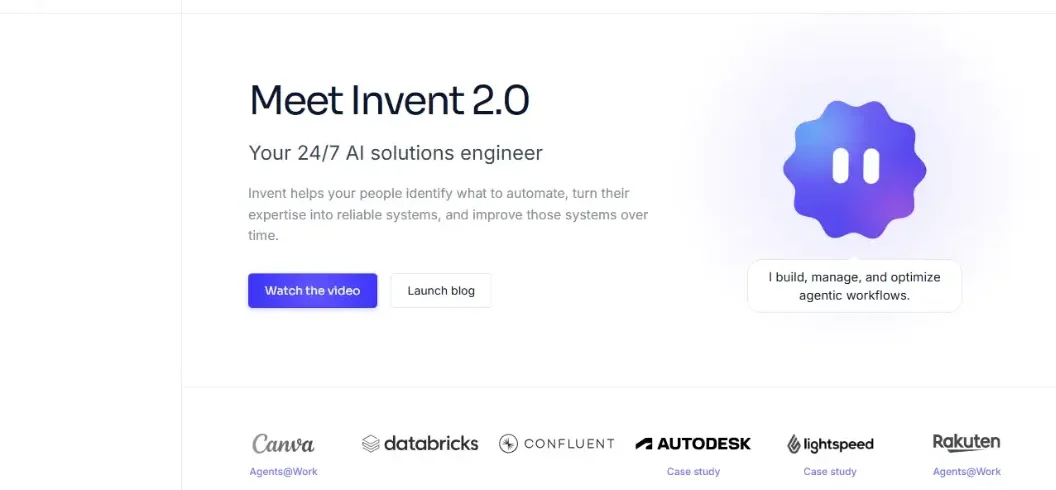
The platform provides an AI-powered builder called Invent, a visual workflow interface, knowledge connections, and integration tools.
Its main purpose is to make complex business automation accessible to people who do not necessarily have programming experience.
How Does Relevance AI Work?
Relevance AI follows a straightforward process: create an agent, give it instructions, connect tools and information, and define when it should perform tasks.
Step 1: Create an AI Agent
Users begin by describing the job they want an agent to perform.
For example:
“Create an AI assistant that reviews customer inquiries, identifies the topic, and prepares a helpful response.”
The platform can turn this description into an initial agent configuration.
Step 2: Connect Tools and Data
An agent becomes more useful when it can access the applications required for its job.
Depending on the configured integrations, it might search the web, read business documents, update a CRM, or create records.
Step 3: Define the Workflow
Users decide how an agent receives tasks, which tools it can use, and how it should handle different outcomes.
For more complicated processes, several agents can collaborate within a Workforce.
Step 4: Test and Deploy
Before activating automation, users should test it with realistic inputs and review its decisions.
Once configured, an agent can perform supported tasks when manually started or triggered by connected events.
Human supervision remains important, particularly for activities involving customers, payments, or sensitive information.
7 Key Features of Relevance AI
Relevance AI combines several capabilities that distinguish it from basic chatbot applications.
1. No-Code AI Agent Builder
The platform enables users to design agents using natural-language instructions.
Its Invent feature helps create agents, tools, workflows, and other platform components.
For beginners, this removes much of the initial complexity associated with developing AI applications.
For advanced users, configurations can be refined to support specialized tasks.
2. Multi-Agent Workforces
One of the platform’s most significant features is its ability to coordinate multiple agents.
Imagine a business that receives customer inquiries.
One agent could categorize incoming questions, another could retrieve information, and a third could prepare a response.
These agents can share responsibility instead of attempting every activity independently.
Relevance AI supports visual connections and handoffs between agents.
3. Business Application Integrations
Relevance AI advertises access to more than 2,000 application integrations.
These include tools associated with communication, sales, productivity, and operations.
Integrations make it possible to connect AI-generated decisions with practical business activities.
However, available triggers, permissions, and specific capabilities depend on the application and subscription.
4. Knowledge and Memory
Agents can use connected documents and organizational information to produce more relevant responses.
For example, a customer support agent could reference an approved help document before answering questions.
This is more reliable than relying entirely on a language model’s general knowledge.
Nevertheless, outdated or inaccurate source documents can still produce incorrect answers.
5. Automated Triggers and Scheduling
Users can configure supported agents to operate in response to specific events.
Examples include new form submissions, incoming messages, or scheduled reporting tasks.
Automation is particularly valuable when the same process must be repeated consistently.
6. Monitoring and Human Approvals
Businesses need visibility into autonomous actions.
Relevance AI provides task monitoring, escalation options, and approval-related controls.
These help users identify failed workflows, review unusual situations, and prevent some unwanted actions.
7. Flexible AI Model Support
Relevance AI supports multiple language models and allows eligible paid users to connect their own API keys.
This flexibility can help teams select models according to their performance requirements and budgets.
It also reduces dependence on a single model provider.
Relevance AI Pricing in 2026
Relevance AI uses a subscription model with separate allowances for Actions and Vendor Credits.
According to its current official pricing documentation, the main plans are:
| Plan | Monthly billing | Best for |
| Pro | $29/month | Individuals and small operations |
| Team | $349/month | Departments and collaborative teams |
| Enterprise | Custom pricing | Organizations needing advanced controls |
Annual billing reduces the equivalent monthly cost to $19 for Pro and $234 for Team.
The official documentation states that the Free plan has been retired.
What Does the Pro Plan Include?
The monthly Pro plan includes 2,500 Actions and $20 in Vendor Credits per month.
It also supports unlimited agents, multiple Workforces, scheduling, and access to supported integrations.
This plan is most suitable for individuals building and managing a relatively small number of automations.
What Does the Team Plan Include?
The monthly Team plan includes 7,000 Actions and $70 in Vendor Credits.
It adds expanded collaboration, calling and meeting agents, reporting capabilities, and priority support.
Organizations with multiple departments or stakeholders may benefit from these additional features.
Understanding Actions and Vendor Credits
An Action generally represents one execution of a tool.
Vendor Credits cover the cost of AI model usage and certain related services.
A workflow involving several tool calls may use multiple Actions, even though the user initiated only one task.
Importantly, unsuccessful tool executions can still count toward Action usage.
Before subscribing, review the latest information on the official Relevance AI pricing page.
How to Use Relevance AI: Beginner Tutorial
You can begin building an agent by following a relatively simple process.
Step 1: Create an Account
Visit Relevance AI and register for an account.
Review the current subscription requirements before setting up your workspace.
Step 2: Open the Agent Builder
Navigate to the Agents section.
Choose the option to create a new agent.
The official quick-start documentation describes three methods: build with Invent, clone an agent from the Marketplace, or create one from scratch.
Step 3: Describe Your Agent
Provide a clear description of the task.
For example:
“Build an agent that analyzes customer feedback, identifies recurring complaints, groups issues by category, and creates a weekly summary.”
Specify the desired output, relevant data sources, and restrictions.
Step 4: Configure Instructions and Tools
Review the generated configuration.
Add the tools necessary for the task and connect relevant applications.
Give the agent only the permissions required to complete its job.
Step 5: Test the Agent
Open the Run interface and submit example tasks.
Check whether the agent understands instructions, selects appropriate tools, and produces accurate results.
Test incomplete inputs and unexpected situations.
Step 6: Create a Workforce
For complex tasks, connect additional specialized agents through the Workforce builder.
Assign separate responsibilities and define how information passes between them.
Step 7: Deploy and Monitor
After testing, activate suitable triggers or scheduling options.
Monitor task history, costs, errors, and output quality.
Do not assume that successful initial testing guarantees reliable long-term performance.
Practical Relevance AI Use Cases
The platform is particularly useful for activities that involve repetitive tasks, structured information, and business applications.
Sales Prospect Research
A sales team could create an agent that researches potential clients and summarizes relevant publicly available information.
Another agent might prepare outreach drafts based on that research.
A salesperson should review the information and approve external messages.
Customer Support
Support teams can build agents that classify inquiries, retrieve approved answers, and suggest responses.
Complex cases can be escalated to a human representative.
This approach can reduce repetitive manual work while maintaining oversight.
Marketing and Content Operations
Marketing teams can use agents to organize campaign ideas, analyze feedback, and prepare reporting summaries.
For instance, an agent could categorize customer reviews and identify frequently mentioned product problems.
However, automatically generated marketing content still requires originality, fact-checking, and editorial review.
Business Reporting
Agents can retrieve information from supported systems and help prepare structured reports.
A manager could use a workflow that consolidates selected operational metrics into a weekly summary.
The numbers should always be checked against the original records.
Relevance AI vs n8n vs Zapier
Relevance AI competes with other workflow automation platforms, although their priorities differ.
| Platform | Primary strength | Suitable users |
| Relevance AI | Specialized AI agents and collaborative Workforces | Teams building AI-driven processes |
| n8n | Flexible workflow automation with technical customization | Developers and technically confident teams |
| Zapier | Broad application automation and accessible workflows | Businesses connecting everyday apps |
Relevance AI is attractive when AI agents need to interpret information and coordinate tasks.
n8n may appeal to developers who want detailed workflow control or self-hosting options.
Zapier can be suitable for businesses that primarily need straightforward connections between applications.
All three platforms have evolving AI capabilities, so comparing a specific workflow is more useful than declaring one universally superior.
Advantages and Limitations
| Advantages | Limitations |
| No-code agent creation | Requires planning for complex workflows |
| Multiple agents can collaborate | Usage costs may increase |
| Extensive application integrations | Integration capabilities vary |
| Supports external knowledge sources | Incorrect source data affects outputs |
| Monitoring and approval features | Automation requires ongoing supervision |
The main advantage is the ability to manage several related business activities through coordinated agents.
The main challenge is achieving consistent reliability while controlling costs.
Is Relevance AI Safe?
Relevance AI advertises SOC 2 Type II compliance, GDPR-related controls, and security features for enterprise customers.
However, security certification does not eliminate every operational risk.
Companies should carefully review access permissions, data retention policies, integrations, and approval settings.
Avoid giving an agent unrestricted access to sensitive records unless absolutely necessary.
For business-critical workflows, implement human approvals and regularly review execution logs.
Is Relevance AI Worth It in 2026?
Relevance AI is worth considering for businesses that regularly perform structured, repetitive digital work.
Sales teams, customer support departments, operations managers, and automation specialists are among its most relevant users.
However, the subscription may offer limited value to someone who only needs occasional writing assistance or simple chatbot responses.
Before investing, identify one measurable business process and estimate how many Actions it requires.
Compare the subscription and supervision costs against the time saved.
A successful AI workflow should deliver accurate results consistently, not simply demonstrate impressive automation.
Conclusion
Relevance AI provides a flexible environment for building and managing autonomous business agents.
Its strengths include no-code creation, collaborative Workforces, integrations, and workflow monitoring.
However, effective implementation requires clear instructions, reliable information, sensible permissions, and regular testing.
Relevance AI is most valuable when it automates a real business process with measurable results.
If you are considering the platform, start with one clearly defined workflow, evaluate its accuracy and operating costs, and expand only after it proves useful.
Frequently Asked Questions
What is Relevance AI used for?
Relevance AI builds AI agents to automate research, customer support, sales, reporting, and business workflows.
Is Relevance AI free?
Relevance AI offers paid Pro and Team plans, while Enterprise pricing is available on request. Check its official website for current pricing.
Does Relevance AI require coding?
No. Its no-code tools let users build AI agents without programming, although coding can help with advanced integrations.
Can Relevance AI agents work together?
Yes. Its Workforce feature allows multiple AI agents to collaborate on complex business tasks.

Leave A Comment