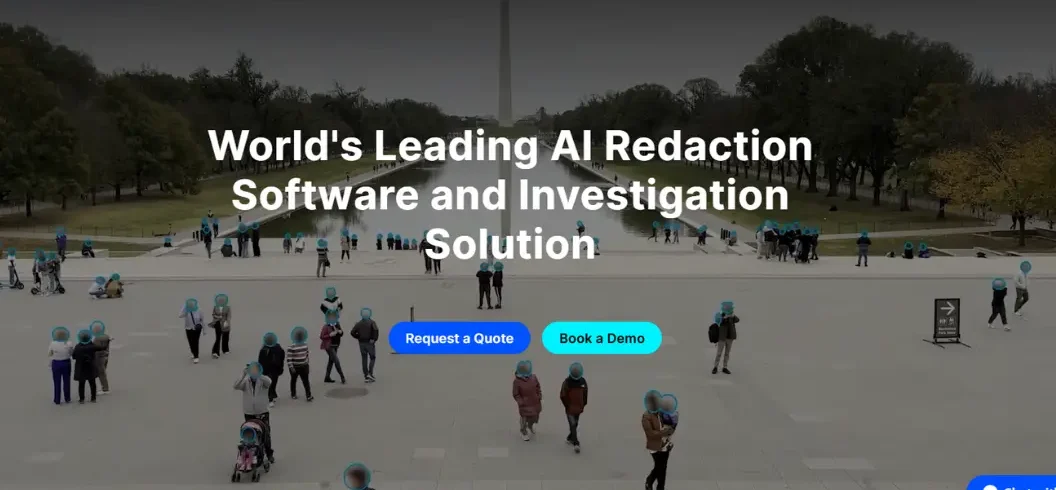

AI redaction software uses artificial intelligence to find and remove sensitive information from PDFs, documents, images, and other files. It can identify names, addresses, emails, phone numbers, financial information, medical details, and identification numbers. AI makes redaction faster for large document collections, but important files should still be reviewed by a person. Look for permanent redaction, OCR, custom rules, security controls, and human-review features.
What Is AI Redaction Software?
AI redaction software automatically detects sensitive information and removes or hides it from digital documents. It can use AI, machine learning, natural language processing, OCR, and pattern recognition.
Common information that can be redacted includes names, addresses, phone numbers, email addresses, financial details, medical records, passport numbers, signatures, and account numbers.
Proper digital redaction should permanently remove the underlying information. Simply placing a black box over text may not protect the original content.
How Does AI Redaction Software Work?
Most tools follow these steps:
- Upload or Import the Document
Upload a PDF, image, scanned document, email, or supported file.
- Extract the Content
Digital text can be analyzed directly. Scanned files may use OCR to recognize text.
- Identify Sensitive Information
The AI looks for names, addresses, emails, phone numbers, financial details, IDs, and other sensitive information.
- Apply Redaction
The selected information is removed or securely hidden.
- Review the Results
A human should check important documents because AI can miss information or flag something incorrectly.
- Export the File
After review, the final redacted document can be saved and shared.
What Information Can AI Redaction Software Detect?
Capabilities vary, but common categories include:
| Data Type | Examples |
| Personal | Names, addresses, birth dates |
| Contact | Emails, phone numbers |
| Financial | Bank and payment details |
| Identification | Passport and ID numbers |
| Medical | Patient identifiers |
| Legal | Confidential case information |
| Business | Internal or proprietary data |
Many tools also support custom detection rules.
AI Redaction vs. Manual Redaction
Manual redaction requires a person to find and hide sensitive information individually. AI-assisted redaction automates much of the detection process.
| Feature | Manual | AI-Assisted |
| Detection | Manual | Automated |
| Large files | Time-consuming | More scalable |
| OCR | Often separate | Often included |
| Human review | Required | Recommended |
| Processing | Slower | Faster |
For sensitive documents, AI and human review can work together.
Why Use AI Redaction Software?
Organizations use AI redaction software to reduce repetitive work and process documents more efficiently.
- Faster Processing: AI can scan large numbers of pagey.
- Less Manual Work: Automated detection reduces repetitive searching.
- Consistent Rules: Predefined rules can be applied across many files.
- Scanned Document Support: OCR allows tools to process image-based documents.
- Better Workflows: Some platforms offer batch processing, permissions, audit logs, and review tools.
AI Redaction Software for PDF Documents
PDFs are commonly used for contracts, reports, invoices, legal records, and applications.
AI can identify sensitive information in searchable PDFs and, with OCR, scanned PDFs.
Avoid simply drawing a black rectangle over sensitive text. The underlying information may remain accessible. A proper redaction process should permanently remove the content.
AI Redaction for Scanned Documents and Images
Scanned documents store text as images. OCR can recognize that text so AI can analyze it.
This is useful for:
- Scanned forms
- Applications
- Screenshots
- Image-based PDFs
- Archived documents
Poor-quality scans can reduce detection accuracy, so review remains important.
AI Redaction Software for Legal Documents
Legal teams may use AI-assisted redaction for contracts, discovery documents, court records, and case files.
Common uses include:
- Legal discovery
- Court filings
- Contracts
- Public records
- Investigation files
Final documents should be checked before release because automated redaction is not perfect.
AI Redaction Software for Healthcare
Healthcare organizations handle highly sensitive patient information.
AI-assisted redaction can help protect:
- Patient names
- Addresses
- Phone numbers
- Medical record numbers
- Insurance details
- Other identifiers
Healthcare organizations should select tools according to their applicable privacy and security requirements.
AI Redaction for Government and Public Records
Government agencies may need to publish documents while protecting confidential information.
AI redaction can help process:
- Public records
- Government reports
- Police records
- Administrative files
- Regulatory documents
Human review is important before public release.
AI Redaction and Data Privacy
Redaction is different from encryption.
Redaction removes or hides specific information from a document.
Encryption protects information by converting it into a protected format that requires a key to access.
Organizations may use both methods to protect sensitive data.
AI Redaction Software and Compliance
AI redaction software can support privacy and compliance workflows, but software alone does not guarantee compliance.
Depending on the organization, requirements may include:
- GDPR
- HIPAA
- CCPA
- Freedom of information rules
- Industry-specific regulations
- Internal privacy policies
Always consider the requirements that apply to your specific documents and location.
What Features Should You Look for in AI Redaction Software?
Look for:
- AI-Powered Detection: Identifies sensitive information using patterns and context.
- OCR Support: Important for scanned documents and images.
- Permanent Redaction: Removes underlying information rather than simply covering it.
- Custom Rules: Allows organization-specific information to be detected.
- Human Review: Lets users verify automated results.
- Audit Logs: Tracks document activity.
- Access Controls: Restricts access to sensitive files.
- Batch Processing: Useful for large document collections.
- File Compatibility: Supports the formats your organization uses.
- Secure Data Handling: Check encryption, storage, retention, and deletion policies.
Can AI Redaction Software Make Mistakes?
Yes. AI can create false positives or false negatives.
Poor scans, unusual layouts, handwriting, tables, and specialized terminology can make detection harder.
For sensitive documents, automated redaction should be followed by human verification.
Is AI Redaction Secure?
Security depends on the software and how it handles uploaded documents.
Before using a service, check:
- Encryption
- Data retention
- Storage
- Access controls
- Authentication
- Processing location
- Third-party access
- Deletion policies
- AI training policies
These factors are especially important for confidential documents.
Cloud-Based vs. On-Premises AI Redaction
| Deployment | Description |
| Cloud | Files are processed by a hosted service |
| On-premises | Software runs within company infrastructure |
| Private cloud | Processing occurs in a controlled environment |
| Hybrid | Combines different deployment methods |
The appropriate option depends on security, infrastructure, cost, and workflow requirements.
How to Choose AI Redaction Software
Step 1: Identify Your Data
Determine what information needs protection.
Step 2: Check File Types
Make sure the tool supports your PDFs, images, scans, and other files.
Step 3: Test Accuracy
Use sample documents to evaluate detection.
Step 4: Review Security
Check storage, encryption, access, retention, and deletion.
Step 5: Check Features
Consider OCR, batch processing, custom rules, audit logs, and review tools.
Step 6: Verify Redactions
Make sure users can review the final document before sharing it.
AI Redaction Software: Best Practices
Follow these practices:
- Create clear redaction policies.
- Identify sensitive information.
- Use AI for detection.
- Review automated results.
- Check the final document.
- Verify redacted content cannot be extracted.
- Restrict access to original files.
- Use secure storage.
- Keep audit records when appropriate.
- Test the process regularly.
AI Redaction Software vs. Data Masking
Redaction removes or hides information from a document.
Data masking replaces sensitive information with altered values while preserving some of the original structure.
For example, redaction may completely remove an account number, while masking may display only part of it.
AI Redaction Software vs. Anonymization
Anonymization attempts to make individuals no longer reasonably identifiable.
Redaction usually removes specific information from a document.
The appropriate method depends on the organization’s privacy objective and how the information will be used.
Common AI Redaction Software Use Cases
- Legal: Contracts, discovery files, and case records.
- Healthcare: Patient identifiers and sensitive medical documents.
- Government: Public records and administrative documents.
- Finance: Customer and account information.
- Education: Student identifiers and records.
- Business: Employee, customer, financial, and proprietary information.
- Research: Documents prepared for controlled sharing.
Conclusion
AI redaction software can make sensitive document processing faster and more manageable. It can identify personal, financial, medical, legal, and business information across digital and scanned files.
However, AI is not perfect. Human verification remains important for confidential documents.
When selecting AI redaction software, focus on permanent redaction, AI detection, OCR, security, privacy controls, file compatibility, custom rules, and review features. The right solution should match your documents, workflow, and security requirements.
Frequently Asked Questions
1. Can AI redact a document?
Yes. AI redaction software can detect and permanently remove sensitive information from PDFs, images, scans, and other supported documents.
2. Can a PDF be unredacted?
Properly applied permanent redactions should not be reversible. Simply covering text with a black box, however, may leave the original information accessible.
3. Is AI redaction secure?
It can be secure when the software uses encryption, access controls, secure storage, and clear data-retention policies. Always review the provider’s security practices.
4. What should I look for in AI redaction software?
Look for AI detection, OCR, permanent redaction, custom rules, batch processing, audit logs, security controls, and human-review features.

Leave A Comment